What a lesson plan is (and what it is for)
A lesson plan is a one-page map of a single lesson: what students should learn, how you will get them there, and how you will know it worked. It is not a script. A good plan is short enough to glance at mid-lesson and clear enough that a substitute could teach from it.
Every lesson plan answers the same three questions: What will students be able to do by the end? How will the time be spent? How will I check that they got it? The seven steps below build the answers in order.
How to write a lesson plan in 7 steps
1. Write one or two learning objectives
Start with what students will be able to do, using a verb you can observe: explain, compare, solve, write. "Students will be able to compare two causes of the Great Depression" is an objective; "learn about the Great Depression" is a topic.
2. Note the standard and what students already know
Link the objective to your curriculum standard or exam specification, and write one line on prior knowledge. It tells you where to start and what to review in the warm-up.
3. List materials and resources
Slides, handouts, readings, links, equipment. Put them in the plan itself, not in a separate folder, so nothing is missing when the bell rings.
4. Plan the lesson structure with timings
A simple, reliable shape: warm-up (5 min), direct instruction (10–15 min), guided practice (10–15 min), independent practice (15 min), closure (5 min). Give each block a time so you can see if the plan fits the period.
5. Plan for different learners
One line on support for students who need it (sentence starters, a worked example) and one on extension for students who finish early. Small adjustments planned in advance beat improvising.
6. Decide how you will check understanding
An exit ticket, three questions, a quick poll, a short written answer. The check should test the objective from step 1, not something else.
7. Leave room for reflection
After the lesson, write two lines: what worked and what to change. Next year, that note is the most valuable part of the plan.
Lesson plan example
Objective: Students will be able to compare two causes of the Great Depression and explain which mattered more.
Prior knowledge: the 1920s economy, the stock market crash of 1929.
Materials: two short primary sources, a comparison table handout, slides.
Warm-up (5 min): What do you already know about 1929? Students write three facts.
Instruction (10 min): overproduction and bank failures, with one chart each.
Guided practice (15 min): in pairs, read both sources and fill in the comparison table.
Independent practice (15 min): a short paragraph: which cause mattered more, with evidence.
Closure and check (5 min): exit ticket with one question on each cause.
Differentiation: sentence starters for the paragraph; an extra source for early finishers.
Reflection: filled in after class.
From lesson plan to a class page students actually use
Tori is an AP teacher with ADHD, and most of the students are overachieving and college-bound. Tori had tried Notion two or three times and never had the time to learn everything it needed. In xTiles, Tori built class websites: one place where the plan, the materials and the assignments for each class live, and where students go to find them.
"Most of the teachers just use Google Classroom. … They really love the organization of xTiles. And I tell people it's like Notion, but easier."
You can copy the same set-up:
- One project per class or course. The front page shows this week: today's objective, what to read, what is due.
- One page per unit, each built from the Lesson Plan template, with materials and links inside the plan.
- Assignments as their own pages, with the task, requirements and how it will be assessed.
- Share it with students as view-only. Permissions are set project by project, so students can read the class page while your planning notes stay in a separate project only you can see.
If you plan lessons together with colleagues rather than alone, read how shared lesson planning works in xTiles compared with Milanote.
Free lesson plan templates to start from
All four templates are free in the xTiles template gallery. Start with the Lesson Plan, then add the others as the lesson needs them.
1. Lesson Plan: the seven steps on one page
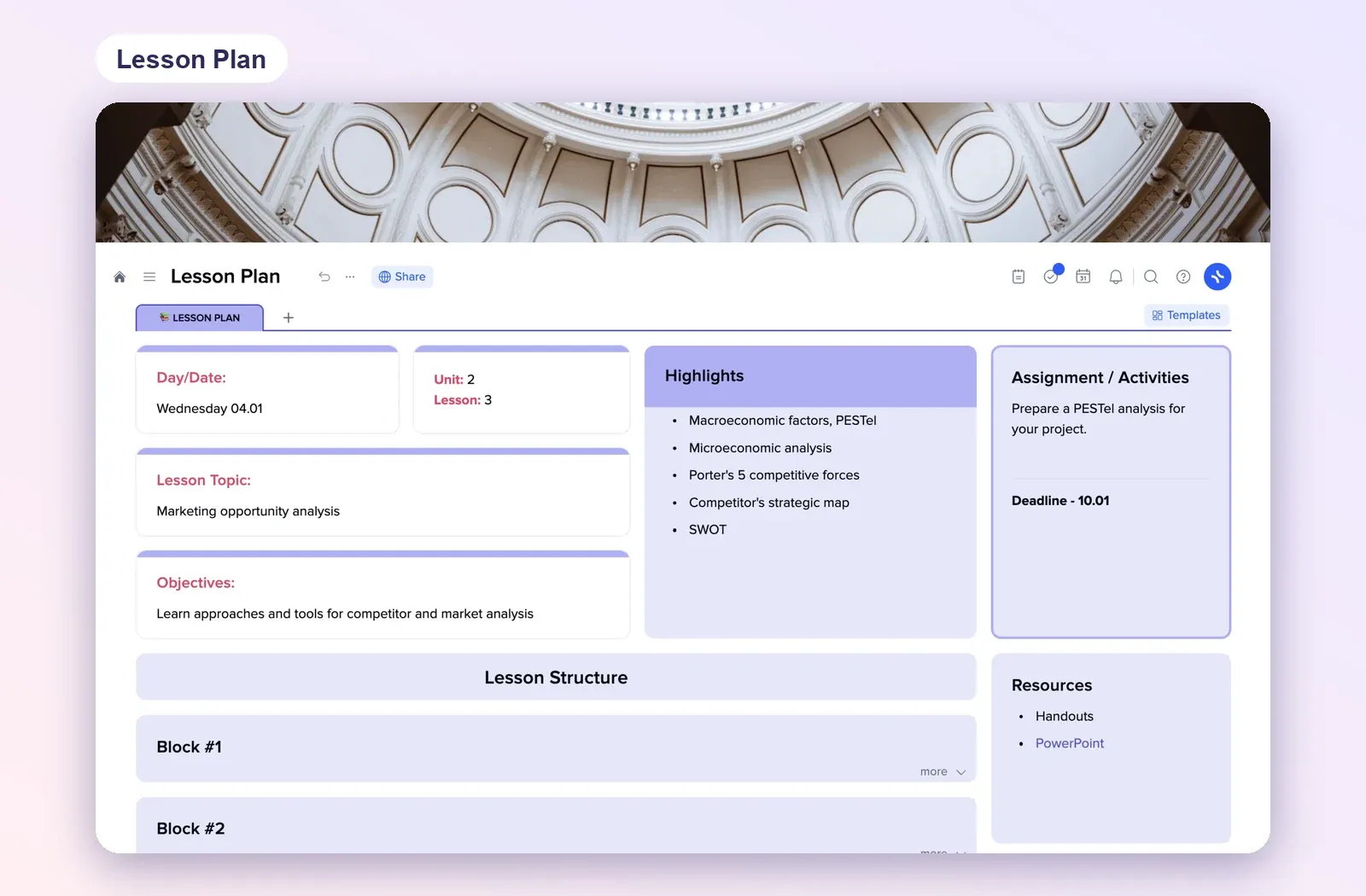
Day and date, unit and lesson number, topic, objectives, highlights, lesson structure in blocks, assignment with a deadline, and resources. Open the Lesson Plan template.
2. Assignment brief: task, requirements, criteria
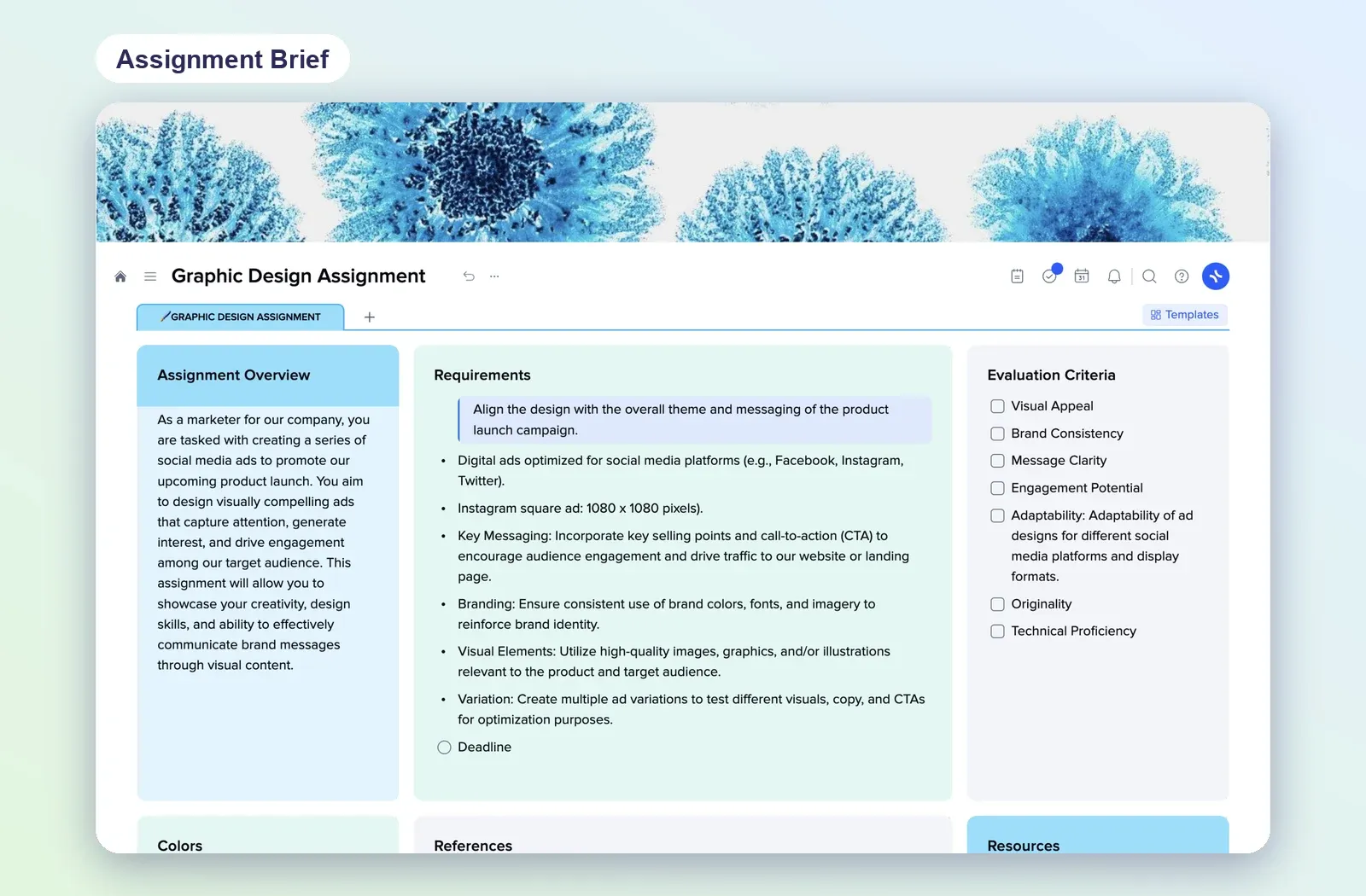
An overview of the task, a list of requirements, evaluation criteria as a checklist, references and resources. Rewrite it for any subject and share it with the class. Open the assignment template.
3. KWL Chart: the warm-up and the closure
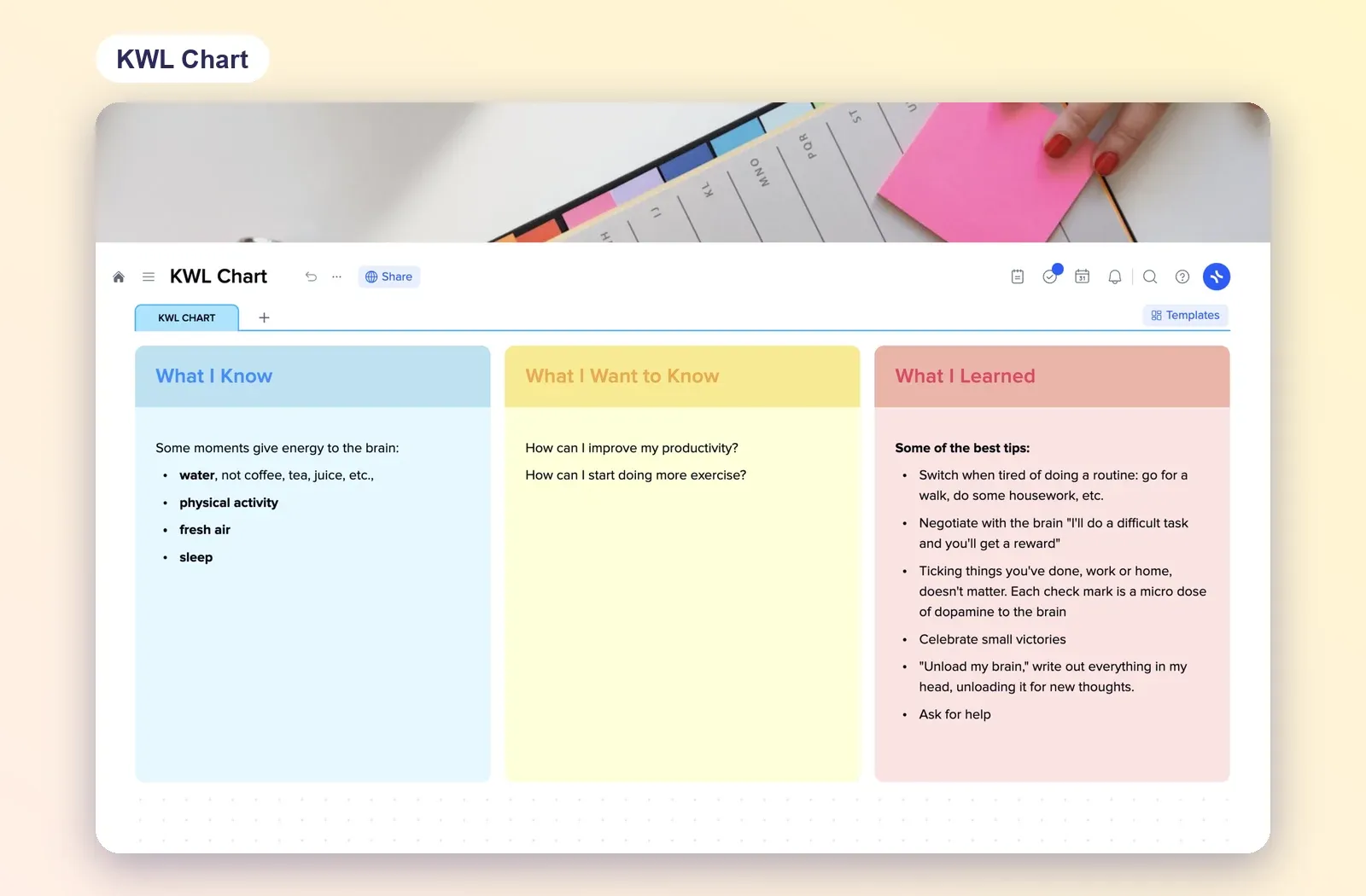
What I Know, What I Want to Know, What I Learned. Fill the first two columns in the warm-up and the last one in the closure, and you have checked prior knowledge and understanding in one page. Open the KWL Chart.
4. Cornell Notes: for students during instruction
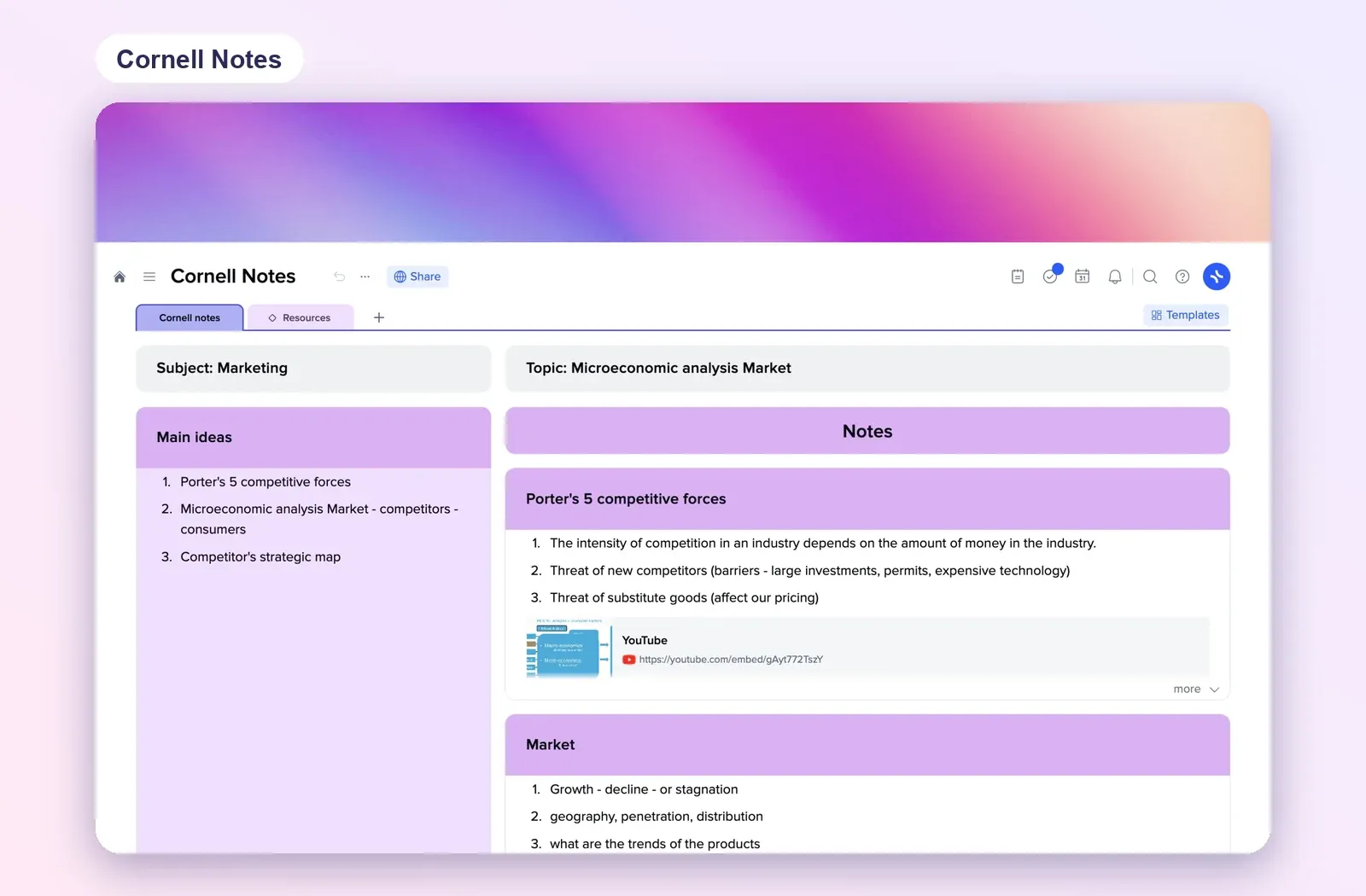
Subject, topic, main ideas on the left and notes on the right. Give it to students before direct instruction so their notes follow your lesson structure. Open Cornell Notes.