Every tool is a decision you make again
Jenica is an ADHD business coach who works with ADHD and neurodivergent founders, and has ADHD too. The tool stack is typical for a founder: Claude for strategic thinking, Slack for communication, Notion for templates, Google Workspace for most documents, a website that doubles as a CRM, and HubSpot.
None of these is the problem on its own. The problem is the decision fatigue that comes from templates and systems living in different places. Every time you need one, you first have to decide where it is, then go there, then remember how you set it up.
For an ADHD brain, those small decisions add up fast. It's clutter you don't see on a daily basis, but it still bogs you down, as Jenica puts it.
Step 1: simplify before you add anything
Jenica's first move with every client is not a new tool. It's an audit: where are you putting too much effort in? Usually the first answers are productivity organisation and the state of the Google Drive.
- List every place you keep a template, a plan or a to-do. Include chats where you leave notes to yourself.
- Mark the ones you open daily and the ones you only open when you have to.
- Keep the tools that do one job well, like your messaging app, your CRM or your website builder.
- Move the planning layer into one place: templates, daily priorities and the notes you need to find again.
We just need to be a lot more methodical and strategic about it, and not just go into the next big shiny thing that is in front of us. Jenica
Step 2: give your templates one home
In xTiles, a project can hold every page you reuse: an onboarding checklist, a weekly review, a content plan, client notes. Pages sit side by side like tabs in a browser, and each page is laid out in tiles, like sticky notes you can move around. Compared to something familiar, Jenica's description fits: it's a bit like an interactive OneNote.
Once a page works the way you like, save it as a template, so the next client or the next week starts from the same layout instead of a fresh decision.
Step 3: one daily page instead of five tabs
The daily view is where decision fatigue hurts most. In xTiles, every task with a date, from any project, appears in My Planner on that day, next to your Google or Outlook calendar and your notes. You open one page in the morning instead of five tabs.
To give that page a structure that is built for ADHD, start from the ADHD Daily Planner template:
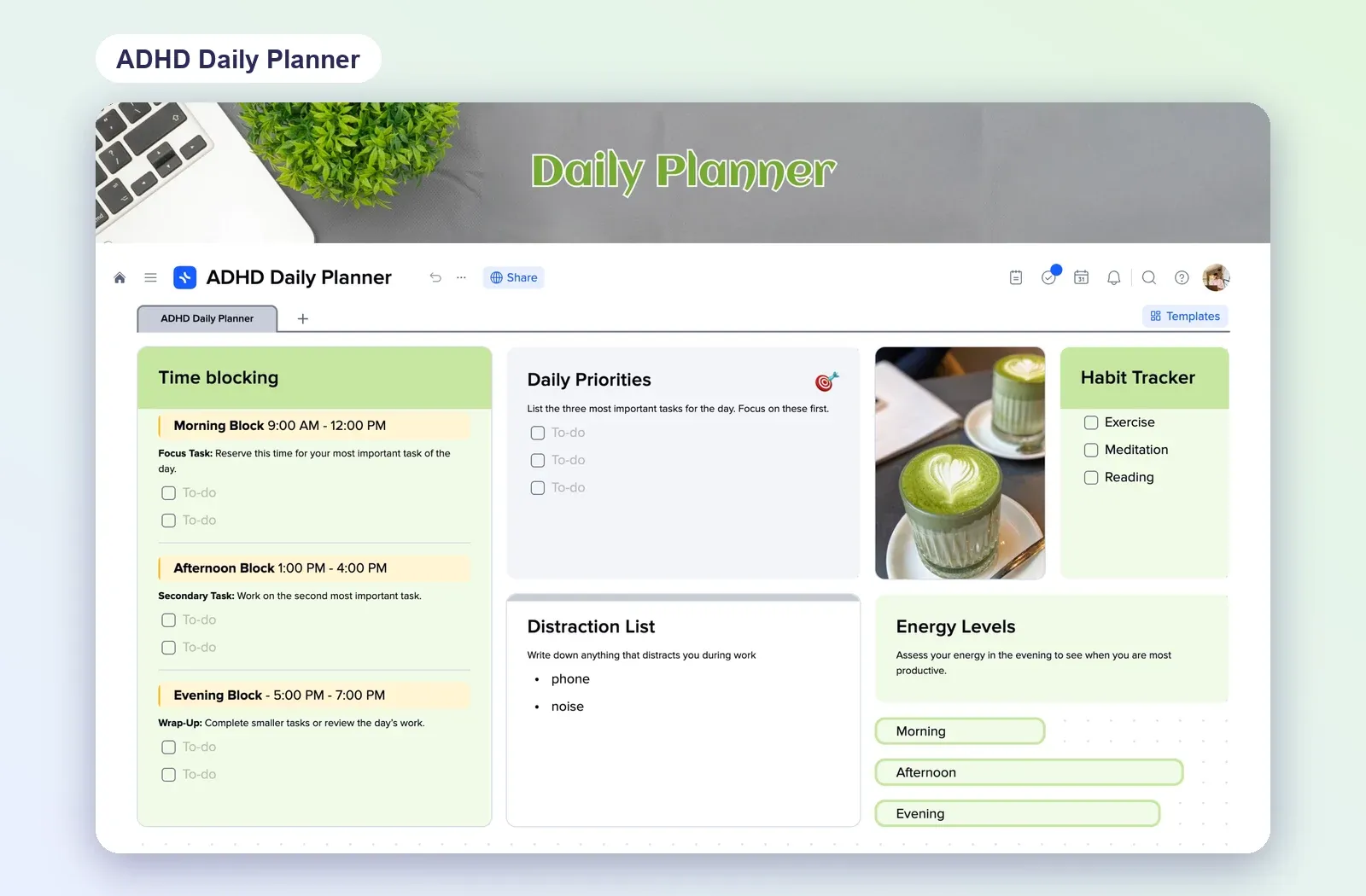
- Time blocks for the morning, afternoon and evening, each with one focus task.
- Three daily priorities, so the day is decided once, in the morning.
- A distraction list to park whatever pulls you away, without acting on it.
- A habit tracker and energy levels, so you learn when you actually work best.
If you want one hub for everything
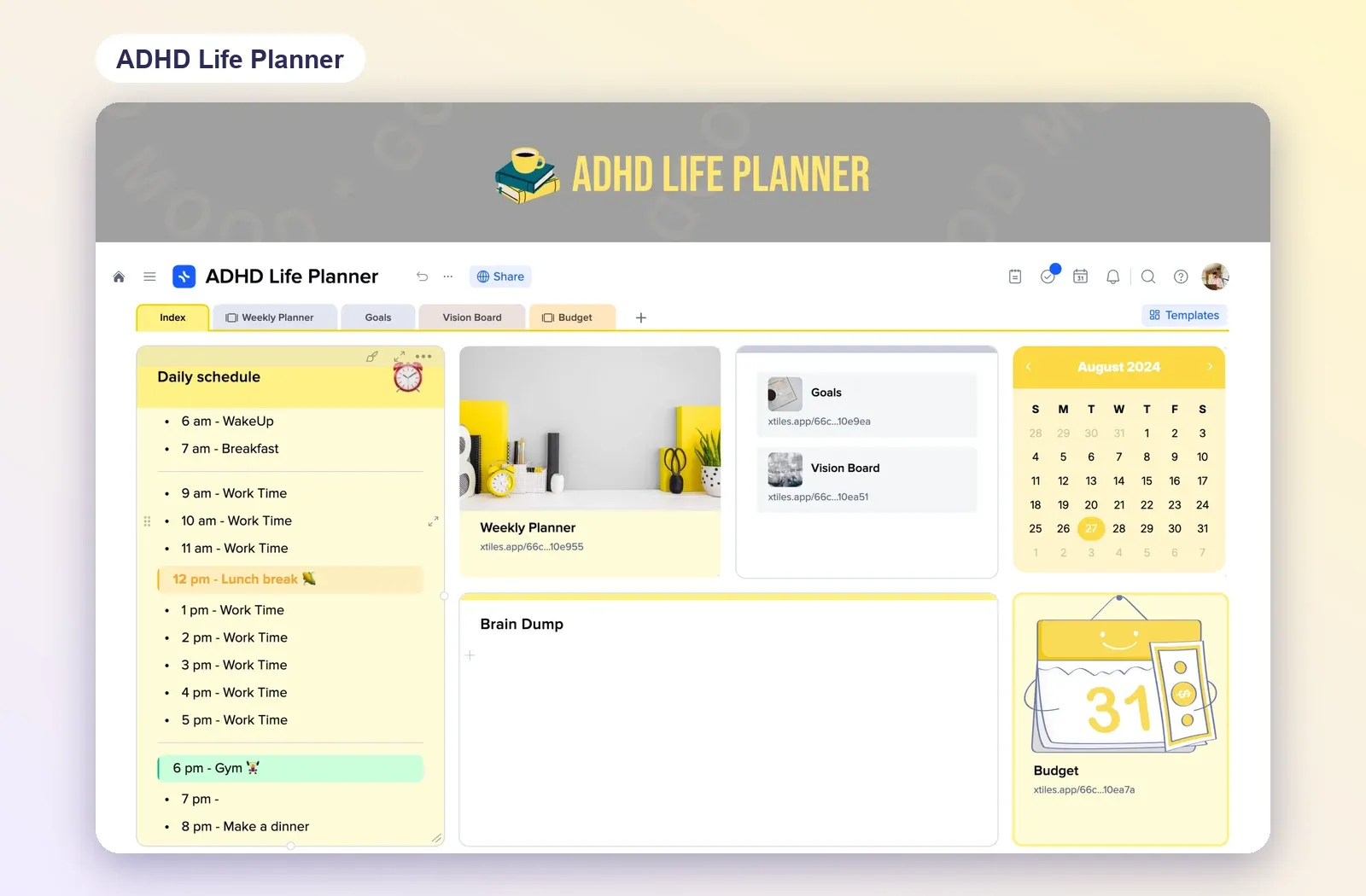
If your templates cover more than the day, the ADHD Life Planner puts them in one project: a daily schedule and a brain dump on the index page, with tabs for the weekly planner, goals, a vision board and a budget.
Step 4: hand repeat work to Claude
The other way to cut decisions is to stop making the same ones by hand. Jenica already does this with social media: Claude helps build carousels with very little effort, so the hours go to clients instead of to making slides look pretty.
I would much rather delegate that to a Claude, because at the end of the day, I'm still inputting my experience, my expertise into that. Jenica
The same idea works for the daily page. Connect Claude to xTiles, and it can pull what needs your attention from Slack, Gmail and Notion onto today's page in your planner. Jenica made a point here: a Claude project that does the work still lives in Claude, so you are back to checking multiple places. Putting the result on one page in xTiles keeps it where you already look. Here's how one prompt brings Slack and Gmail into one morning brief.
Change one thing at a time
Moving your whole system in a weekend is its own source of decision fatigue. Start with the daily page, live with it for a couple of weeks, then move the next set of templates. As Jenica says, find what works best for you, and change and modify as you go.