What a revision timetable is for
A revision timetable tells you what to revise, when, and for how long, from today until your last exam. It turns "I should revise" into "Tuesday, 5pm: Biology, cell structure, 40 minutes". That is the whole trick: a decision made once, in advance, instead of every evening.
A good GCSE or A-Level revision timetable has four layers: the exam dates, the topics for each subject, a weekly plan of revision blocks, and reminders so nothing sneaks up on you. The steps below build them in that order.
How to make a revision timetable in 8 steps
1. Write down every exam date
List each paper with its date and time. Most GCSE and A-Level exams sit in the summer series, but mocks and coursework deadlines count too. Put them in one place first; everything else is planned backwards from here.
2. Count the weeks you have
Count the weeks between today and the first exam. Take out holidays you know you won't revise in. The number you get is your real budget, and it usually explains why starting early matters.
3. Break each subject into topics
Use the specification or the topic list from your teacher. One line per topic, for example "Chemistry: bonding", "English Literature: Macbeth themes". Small topics are easier to schedule than whole subjects.
4. Rate each topic red, amber or green
Red: you don't understand it yet. Amber: shaky. Green: confident. Red topics get more sessions and go earlier; green topics get a quick review and past-paper practice closer to the exam.
5. Block out what is already fixed
School, travel, sport, part-time work, meals and sleep go in first. What is left is the time you can actually revise in. Be honest here: a timetable you can't keep is worse than a shorter one you can.
6. Fill the gaps with short revision blocks
Use blocks of 30 to 45 minutes with a short break between them. Mix subjects in a day rather than doing one subject for hours, and put the hardest topics at the time of day you focus best.
7. Plan in practice and review
Each topic should come back more than once: learn it, revisit it a few days later, then test yourself with past-paper questions. Leave the last weeks before each exam mostly for past papers and red topics.
8. Keep a buffer and review every week
Leave one or two empty blocks a week for what you missed, and at least one evening off. Every Sunday, look at what you did, move what slipped, and update the colours on your topic list.
16:30–17:10 Maths: quadratic equations (red topic)
17:20–18:00 History: causes of WWI, flashcards
18:00–19:00 Dinner and a break
19:00–19:40 Chemistry: past-paper questions on bonding
19:40 Done. Tick off what you finished, move the rest.
Building your revision timetable in xTiles
Paper works until the plan changes, and in exam season it changes every week. A digital revision timetable lets you move a block without rewriting the whole page.
- One project per subject. Put the topic list, notes, resources and past papers for that subject together, so a revision block always starts from the right page.
- Topics as tasks with dates. Each revision block is a task with a date. Any task with a date, from any project, appears in My Planner on that day, so all your subjects land on one daily page.
- Zoom out and in. Look at the week to balance subjects, switch to the monthly view to see how close the exams are, and open a single day to see exactly what is next.
- Let AI do the typing. If you connect xTiles to Claude, share the list of topics or deadlines from your syllabus or school platform and ask it to create a task for each one, due date included. Here is how that works.
- Check it on your phone. The xTiles mobile app shows your day and lets you tick off tasks between lessons.
If you need to plan a longer course rather than a revision season, our guide on how to make a study plan covers the term-long version.
Free revision timetable templates to start from
Start from a template instead of a blank page. All four are free in the xTiles template gallery.
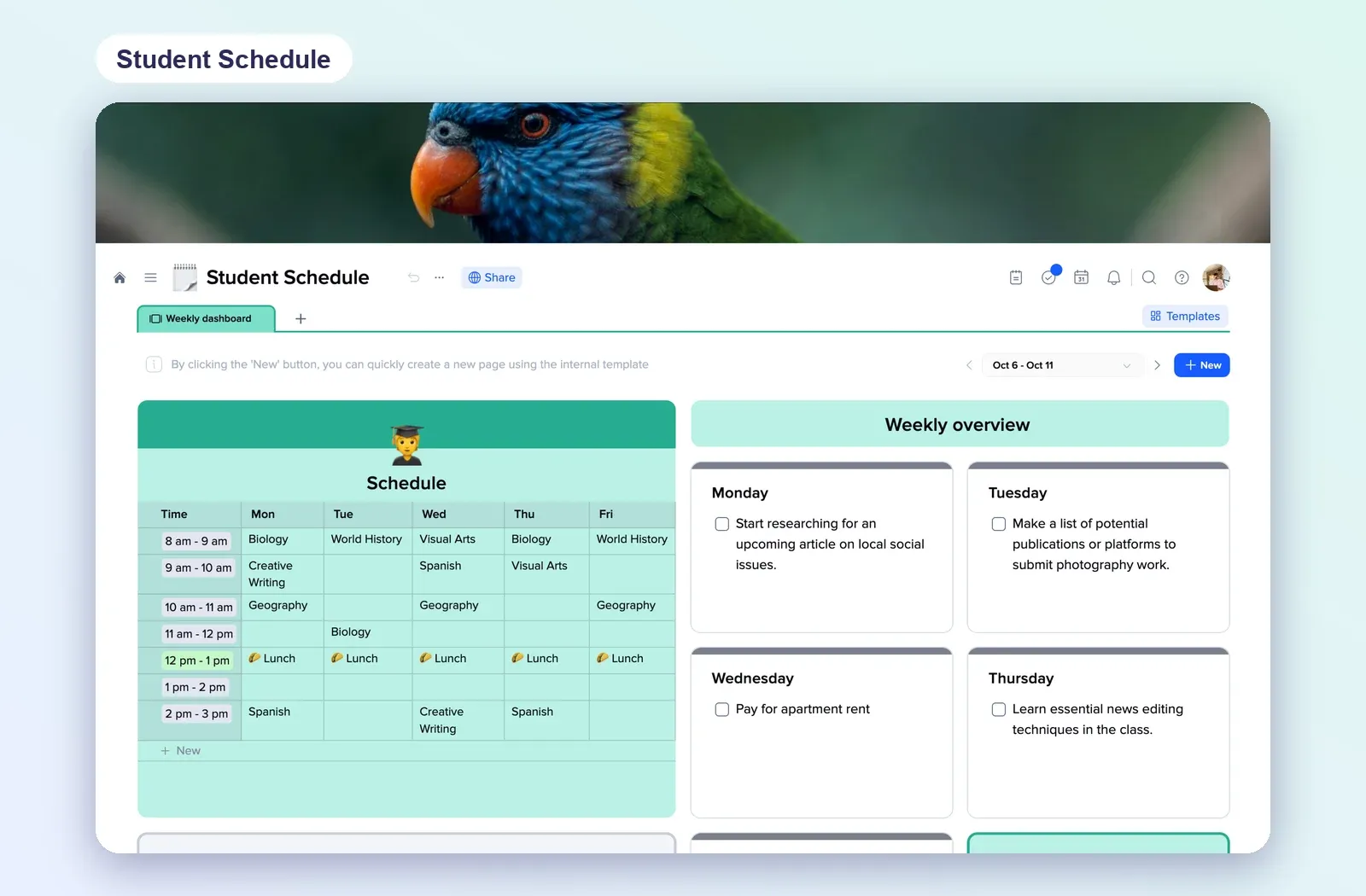
1. Student Schedule: a weekly timetable grid
A Monday-to-Friday grid with time slots, plus a weekly overview with a checklist for each day. Replace lessons with revision blocks and you have a revision timetable. Open the Student Schedule.
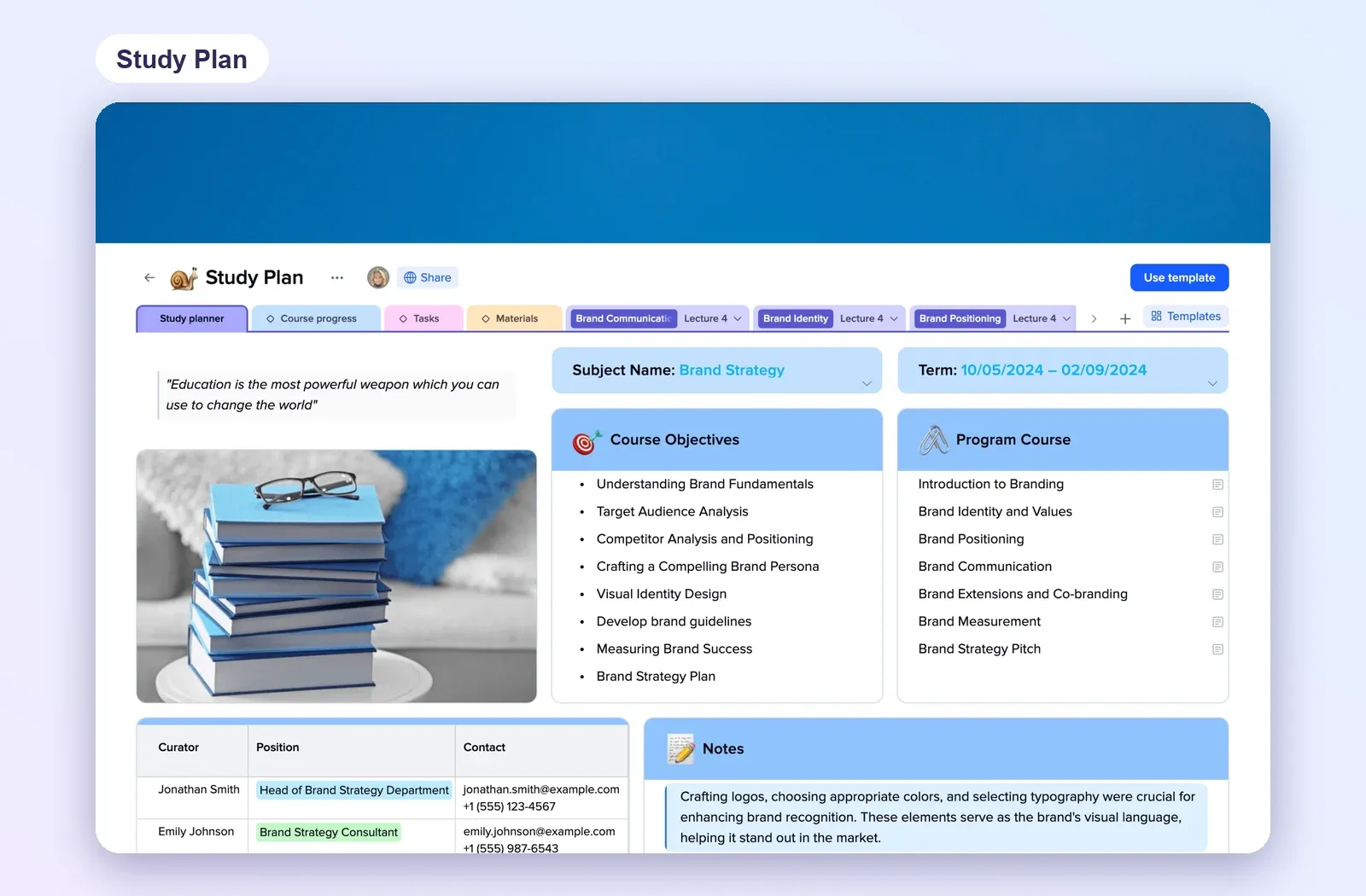
2. Study Plan: one subject, every topic
Subject name, term dates, objectives, the course programme and notes, with tabs for progress, tasks and materials. Use one per subject for your topic list and RAG ratings. Open the Study Plan.
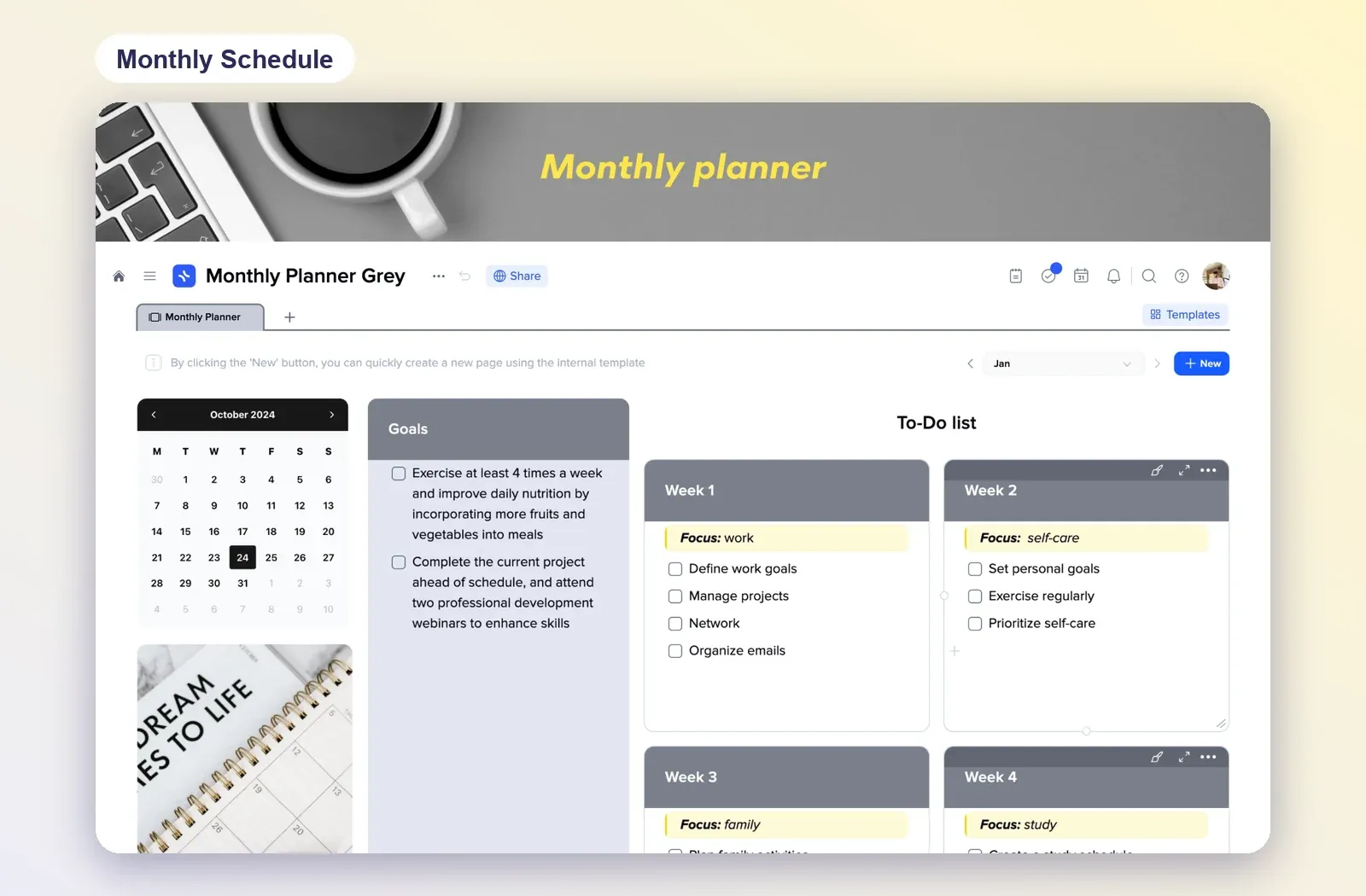
3. Monthly Schedule: the countdown to exams
A month calendar, goals and a to-do list split into four weeks, each with its own focus. Good for the big picture: which weeks go to which subjects. Open the Monthly Schedule.
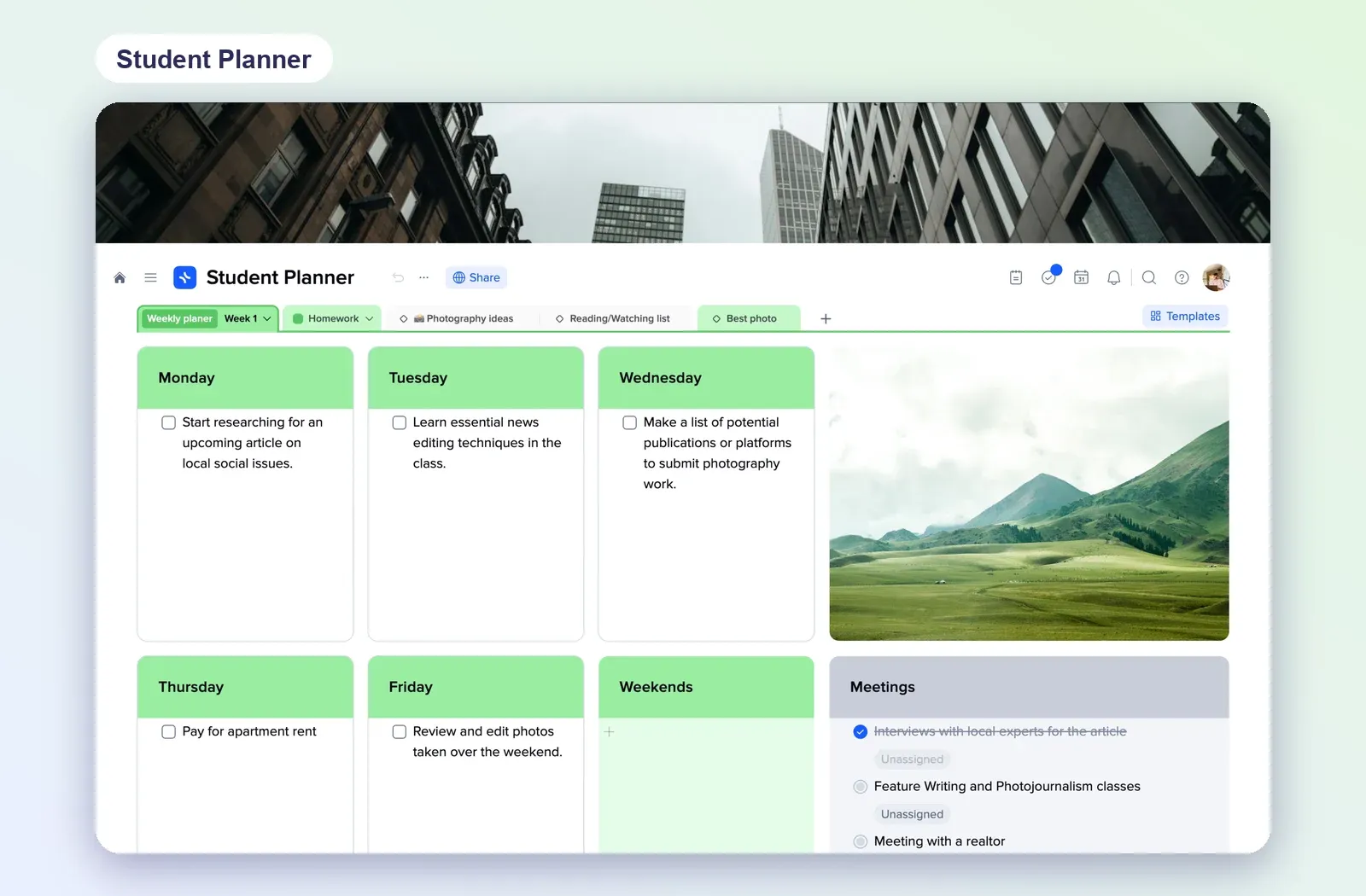
4. Student Planner: the week at a glance
A tile for each weekday with checklists, plus tabs for homework and reading. Handy if you want revision and homework on the same weekly page. Open the Student Planner.
Common revision timetable mistakes
- Planning whole subjects, not topics. "Revise Physics" is not a task you can finish in 40 minutes.
- No breaks and no rest days. The timetable lasts a week, then collapses.
- Only re-reading notes. Testing yourself with questions and past papers works better than reading the same page again.
- Never updating it. A timetable is a plan, not a promise. Move what slipped every week.
- Leaving green topics out completely. Even confident topics need one quick review before the exam.