What organizing a hackathon or game jam involves
A hackathon or game jam looks simple from the outside: people show up, form teams, build something in a weekend and present it. Behind it, the organizers juggle a venue, a schedule, rules, resources, mentors, prizes, sign-ups and a stream of questions, usually spread across chats, docs and spreadsheets.
Tamas is organizing a city edition of a game jam that runs in many cities on the same weekend in November. On a call with us, the plan was clear: one place where the organizing team keeps the plan, and one place where participants can post their game ideas.
"I think it would be good for participants for them to put their ideas there, maybe."
Below is the setup we walked through, step by step, so any hackathon or game jam can reuse it.
Step 1: one event page for the organizing team
Create a project for the event. Its first page is the overview everyone on the team opens first:
- The basics: date, venue, theme reveal time, how to sign up and who to contact.
- A timeline: what has to be done by when, from opening sign-ups to the closing ceremony.
- Tasks with owners: venue, food, mentors, judges, prizes, social posts. Each task gets an assignee and a due date, so it shows up in that person's planner.
- The agenda: day by day, hour by hour, from kickoff and team forming to demos and awards.
- Resources: rules, starter kits, asset libraries, links to engines and tools.
Invite the rest of the organizing team to the project by email and give them edit access. Inviting collaborators is free, so co-organizers and volunteers can work in the same plan without a paid seat.
Step 2: an idea board for participants
Ideas are what a jam runs on, and they are easier to share when everyone can see them before the event starts. Add a separate page for participants:
1. Make an ideas collection
Create a collection with one item per idea: a title, a short pitch, the person who posted it and a Status select such as Idea, Looking for team, Team formed and Submitted.
2. Show it as a board
Switch the collection to a Board view grouped by Status. Ideas move from left to right as teams form and build.
3. Share only that page with participants
Keep the organizers' plan in one project and the participants' page in another, then invite participants to the second one with edit access. They can add ideas without seeing the internal plan.
The same page can hold what participants need on the day: the schedule, the rules and the submission checklist.
Step 3: when the event runs in several places
Many jams run in several cities at once. Give each location its own project with the same structure, built from one template, so organizers in every city find the timeline, tasks and agenda in the same spot. The central team can open any location and see where it stands without asking.
To set it up once: build the first location's overview page, save it with Save as Template, and start each new location from it.
Step 4: a short report after the event
While the weekend is still fresh, add a report page to the same project: how many people came, how many games were submitted, what worked, what did not and ideas for next time. Next year's organizers will start from it instead of from zero.
Optional: let Claude draft the event plan
If you use Claude, connect it to xTiles and give it what you already have: the date, the venue, the rules and a rough schedule. Ask it to create the project with the pages above, then adjust the result. The full walkthrough is in turning an event brief into a project plan with Claude in one prompt.
Free templates to organize a hackathon or game jam
There is no dedicated hackathon template in the gallery yet, but these four free templates cover each part of the setup.
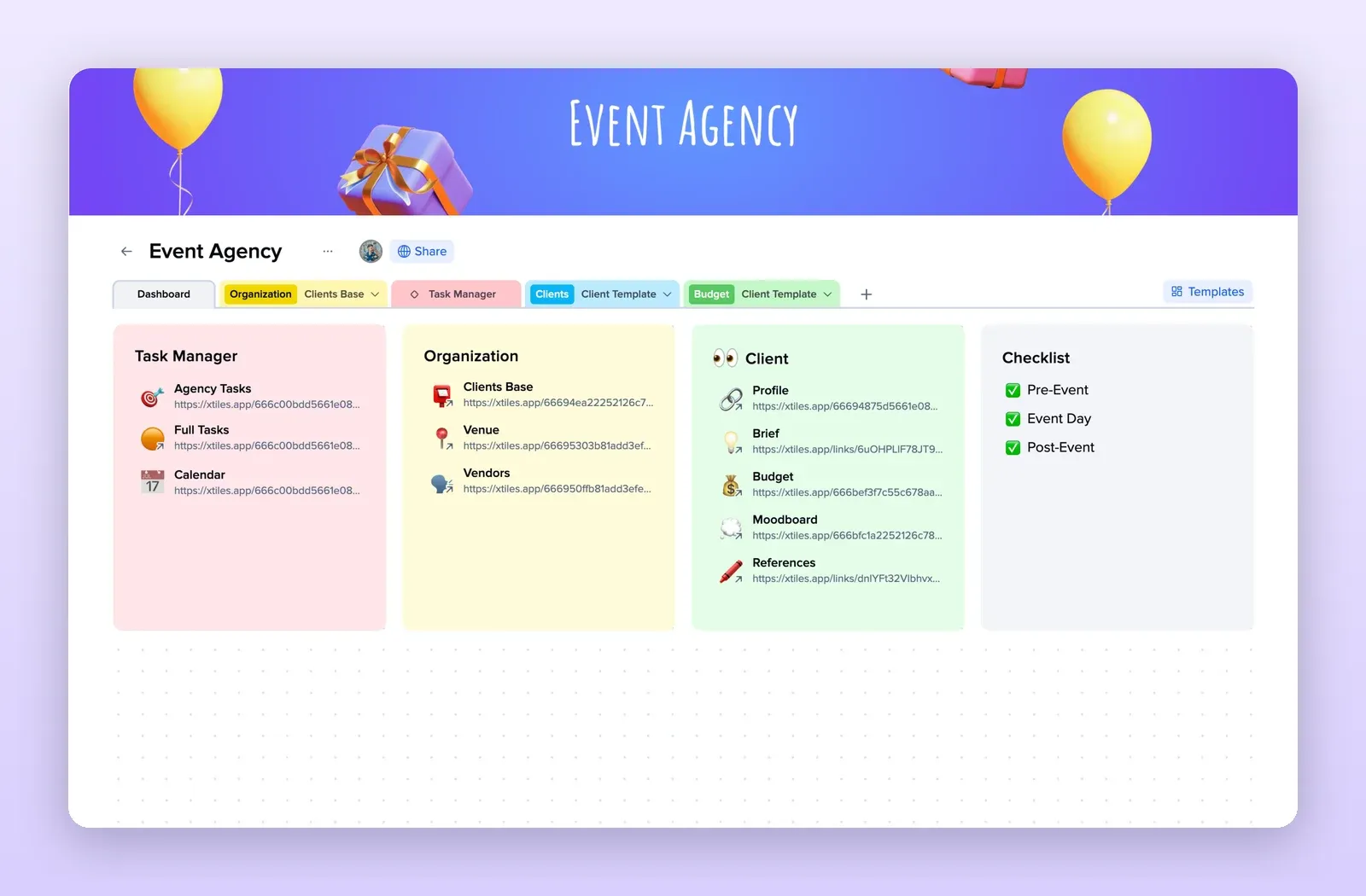
1. Event Agency: the organizer dashboard
A task manager, venue and vendors, client details and a checklist split into pre-event, event day and post-event. Replace the client part with your mentors and judges. Open the Event Agency template.
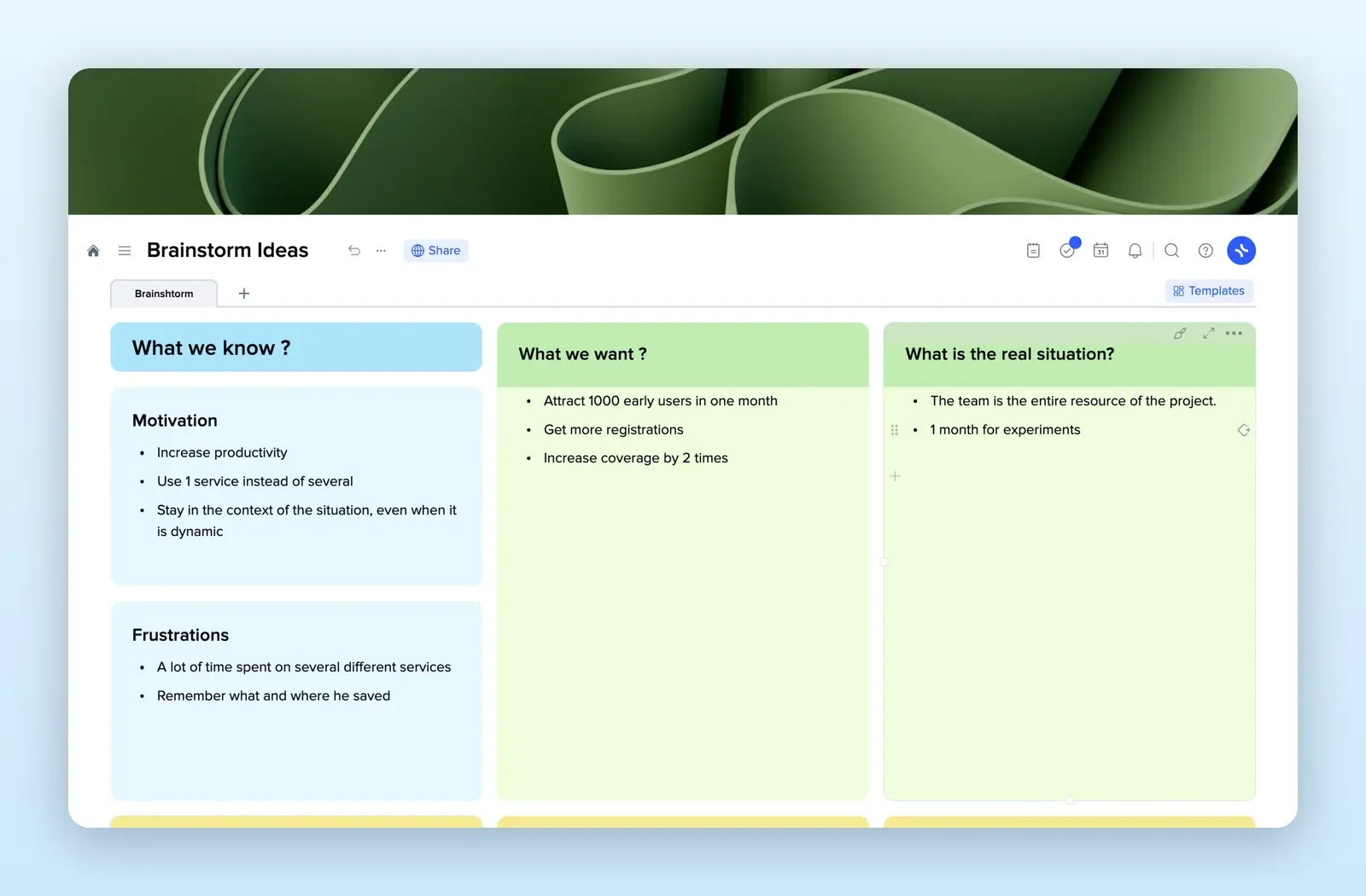
2. Brainstorm Ideas: the participants' page
What we know, what we want and what the real situation is, with tiles for ideas below. A simple starting point for a page where participants post game ideas. Open the Brainstorm Ideas template.
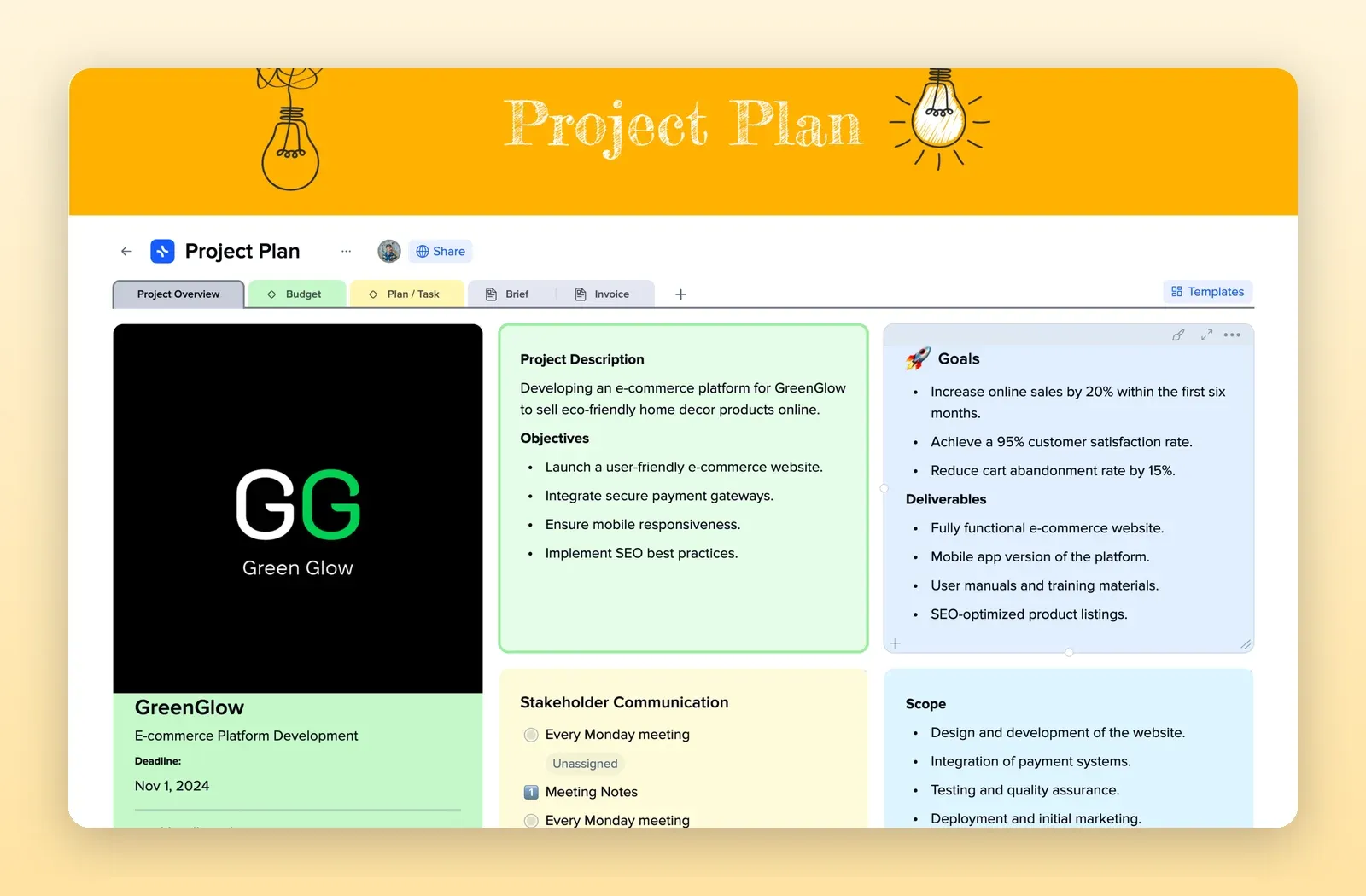
3. Project Plan: timeline, budget and tasks
Overview, budget, plan and tasks on separate pages, with goals, deliverables and scope on the first one. Good for the organizing team's plan. Open the Project Plan template.
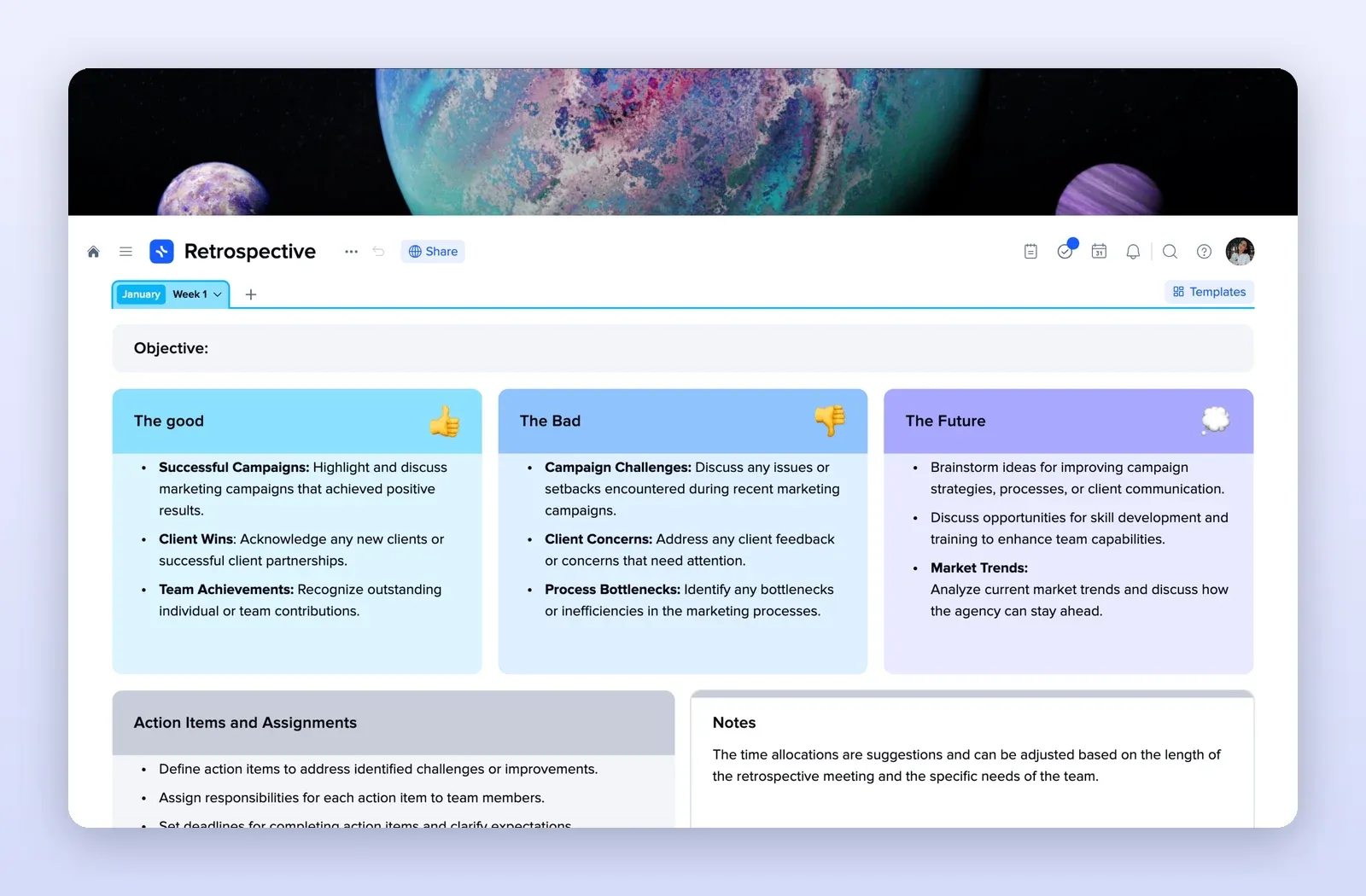
4. Retrospective: the post-event report
The good, the bad and the future, plus action items and notes. Fill it in the week after the event. Open the Retrospective template.