MAY UPDATES 2026
May is about depth, not breadth.
A focused month — big updates land in June. May is about depth, not breadth. The features that shipped this month make your daily workflow smoother, your workspace more personal, and your calendar finally connected. June brings the big ones — but May is far from quiet.
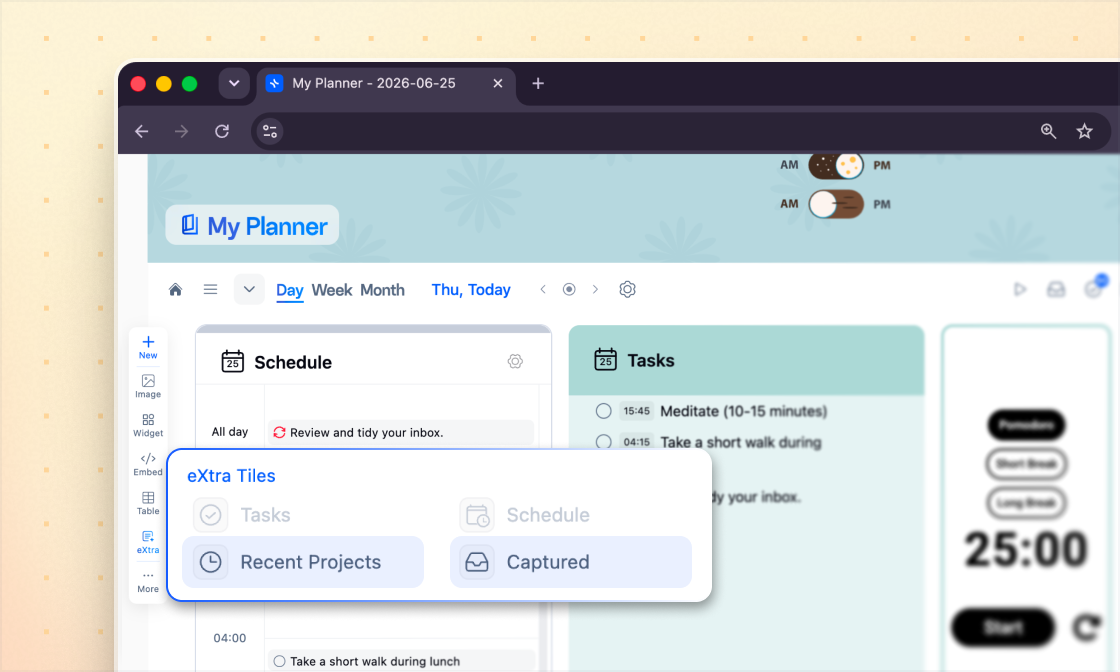
My Planner Daily View — Two New Tiles
- ✦Recent Projects — The projects you worked on today, listed right in your Daily view. Jump back to any project you visited today — directly from My Planner. No backtracking, no lost momentum.
- ✦Captured — Every note you clip with the Web Clipper lands here automatically — no filing, no organizing, no effort. By the end of the day you have two things: a clear record of everything you saved, and the context of what you actually worked on and learned. Nothing slips through.
New to the Web Clipper?
Start capturing from the web →My Planner Daily View — Two New Tiles
- ✦Recent Projects — The projects you worked on today, listed right in your Daily view. Jump back to any project you visited today — directly from My Planner. No backtracking, no lost momentum.
- ✦Captured — Every note you clip with the Web Clipper lands here automatically — no filing, no organizing, no effort. By the end of the day you have two things: a clear record of everything you saved, and the context of what you actually worked on and learned. Nothing slips through.
New to the Web Clipper?
Start capturing from the web →Google & Outlook Calendar — Now Available for Everyone
Your calendar and your tasks, finally in one place. Connect Google or Outlook to xTiles and see both your events and your xTiles tasks together — no tab switching, no missed context. Full visibility over your day, right where you plan it.
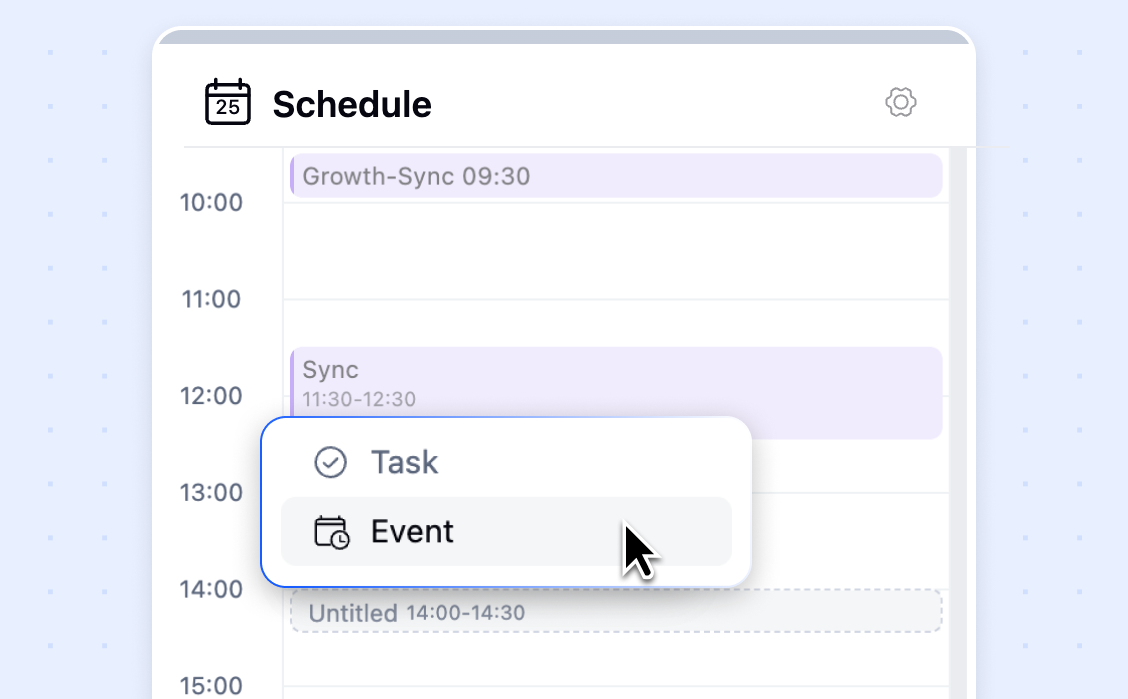
Google & Outlook Calendar — Now Available for Everyone
Your calendar and your tasks, finally in one place. Connect Google or Outlook to xTiles and see both your events and your xTiles tasks together — no tab switching, no missed context. Full visibility over your day, right where you plan it.
Task Checkboxes Now Show Recurrence & Reminder Icons
A small change that makes a real difference. Tasks with a recurrence or reminder set now show a visual indicator directly on the checkbox — so you can see at a glance which tasks repeat and which have reminders, without opening each one.
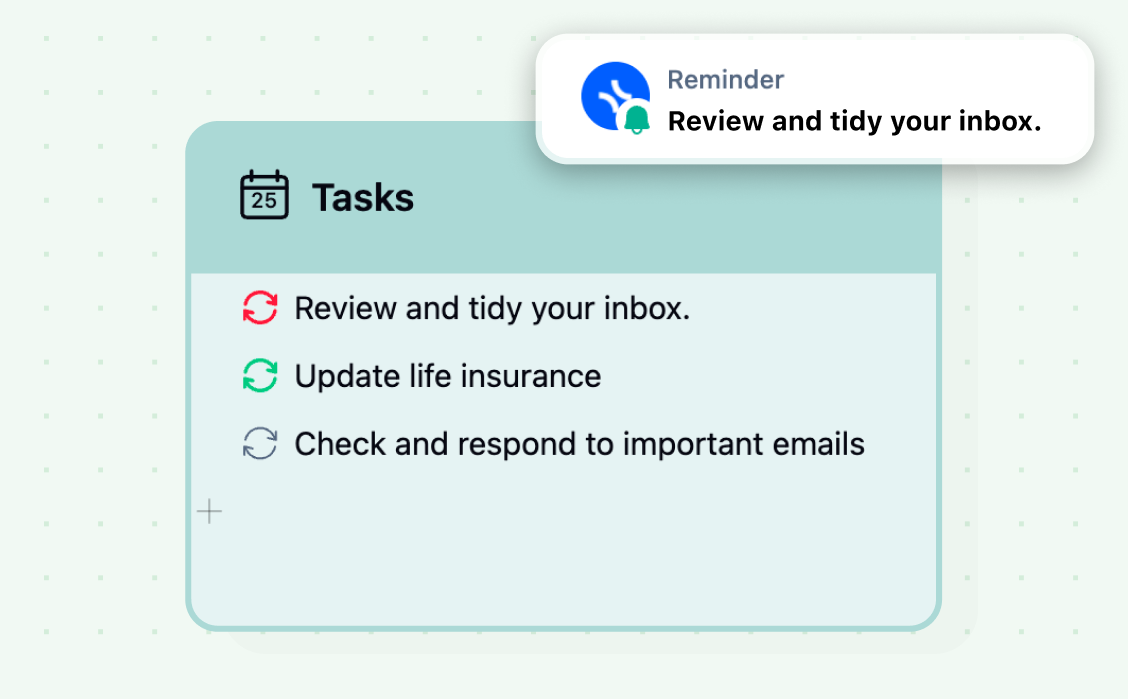
Task Checkboxes Now Show Recurrence & Reminder Icons
A small change that makes a real difference. Tasks with a recurrence or reminder set now show a visual indicator directly on the checkbox — so you can see at a glance which tasks repeat and which have reminders, without opening each one.
Small Improvements
Paste multiple images
- ✦each image now creates its own tile automatically instead of all landing in one. Drag and drop or paste, xTiles does the sorting.
"Move to" in My Planner
- ✦Moving tiles between planning periods just got clearer.
Auto-resize hotkey
- ✦press Ctrl/Cmd + Shift + E to instantly resize a tile to fit its content. Also available via double-click on the bottom edge of any tile.
Custom project icons
- ✦set any image as a project icon. Linked projects automatically inherit the favicon of their source, and the source link moves next to the project name where it belongs.
Every update, One Goal
Our goal is to make xTiles the starting point for your day and a home for your ideas. In May, we focused on depth — making your daily workflow smoother, your workspace more personal, and your calendar finally connected.
✦More coming in June.