JULY UPDATES 2026
In July, your phone learned to turn photos into tasks
xTiles landed in ChatGPT, and we added more ways to get ideas into your workspace faster. Here is what changed:
xTiles + ChatGPT — Your Chats, Now Actionable Inside xTiles
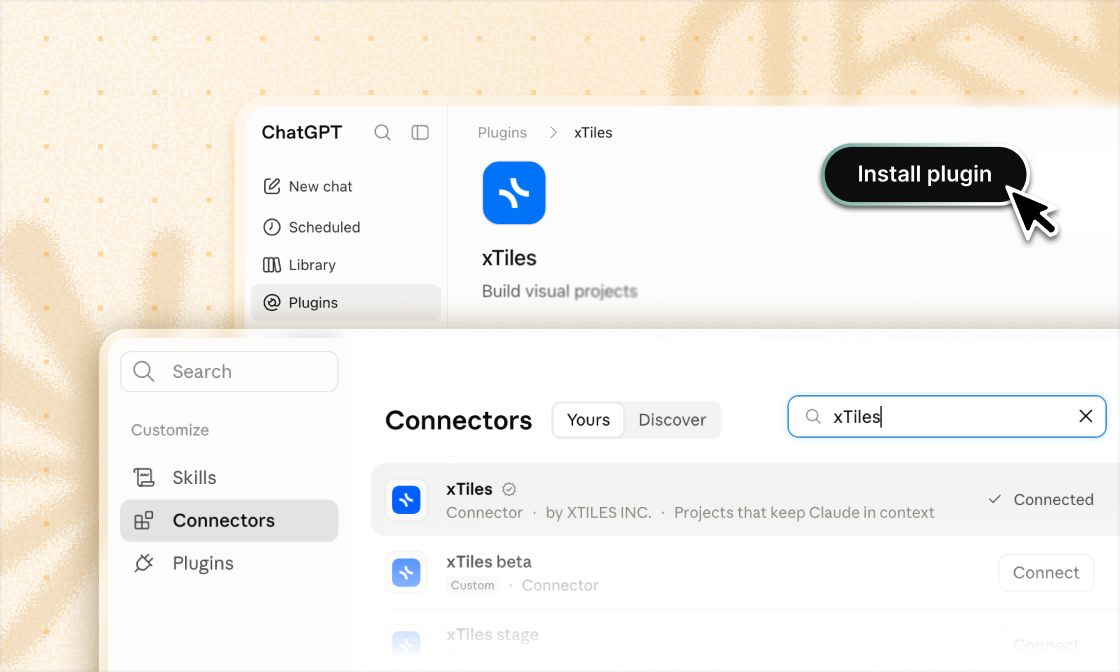
Turn a long research thread into a project. Pull action items out of a brainstorm and drop them straight into My Planner. Let ChatGPT run workflows on your workspace while you stay in the thinking part.
That's what happens now that xTiles connects directly to ChatGPT via a dedicated plugin, joining Claude in your AI toolkit. Whatever chat you already work in, xTiles is ready.
What you can do once connected:
- ✦Create projects, pages, and tiles from any ChatGPT conversation
- ✦Move tasks and notes straight into your Planner on the right day
- ✦Run recurring workflows: daily brief, weekly reviews, evening reflections
Open ChatGPT and type one of these commands:
- ✦Daily Brief — connects to your Gmail, Slack, and Calendar, picks out what matters, and saves it to xTiles. Your morning catch-up, without the 30-minute scroll.
- ✦Today News — a digest of the topics you care about, ready when you open xTiles.
- ✦Evening Reflection — looks at how your day went and writes it up for you. Patterns you'd never notice on your own, there when you need them.
- ✦Weekly Review — five minutes to see where your week actually went: what moved, what didn't, what to do differently.
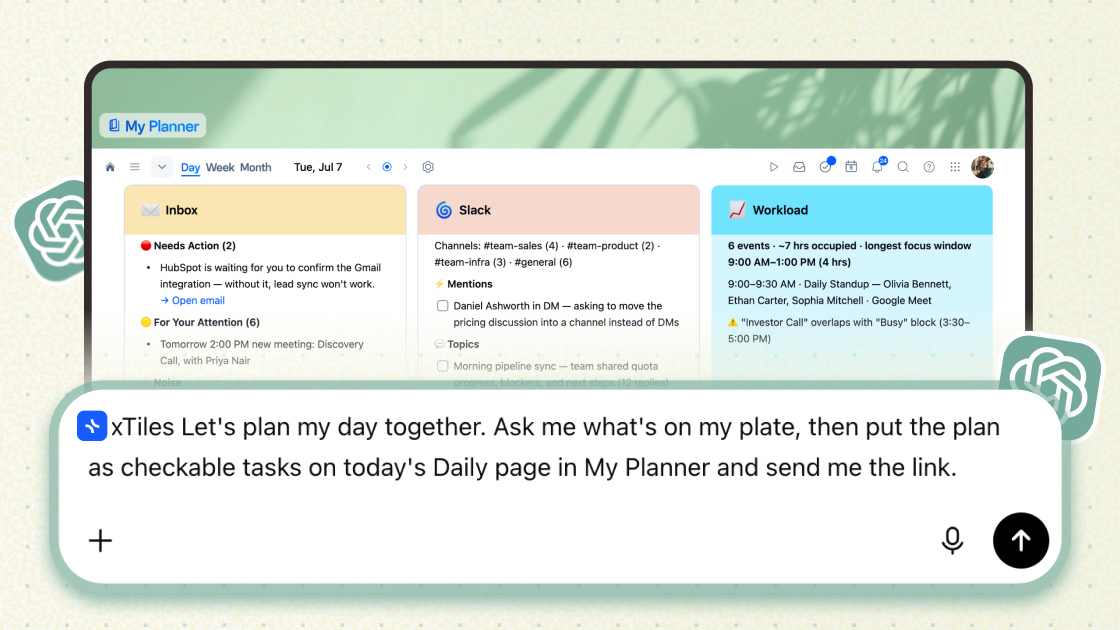
xTiles + ChatGPT — Your Chats, Now Actionable Inside xTiles
Turn a long research thread into a project. Pull action items out of a brainstorm and drop them straight into My Planner. Let ChatGPT run workflows on your workspace while you stay in the thinking part.
That's what happens now that xTiles connects directly to ChatGPT via a dedicated plugin, joining Claude in your AI toolkit. Whatever chat you already work in, xTiles is ready.
What you can do once connected:
- ✦Create projects, pages, and tiles from any ChatGPT conversation
- ✦Move tasks and notes straight into your Planner on the right day
- ✦Run recurring workflows: daily brief, weekly reviews, evening reflections
Open ChatGPT and type one of these commands:
- ✦Daily Brief — connects to your Gmail, Slack, and Calendar, picks out what matters, and saves it to xTiles. Your morning catch-up, without the 30-minute scroll.
- ✦Today News — a digest of the topics you care about, ready when you open xTiles.
- ✦Evening Reflection — looks at how your day went and writes it up for you. Patterns you'd never notice on your own, there when you need them.
- ✦Weekly Review — five minutes to see where your week actually went: what moved, what didn't, what to do differently.
AI Capture on Mobile — Snap it. Skip the retyping.
Any capture becomes a task, with deadlines and reminders already in place.
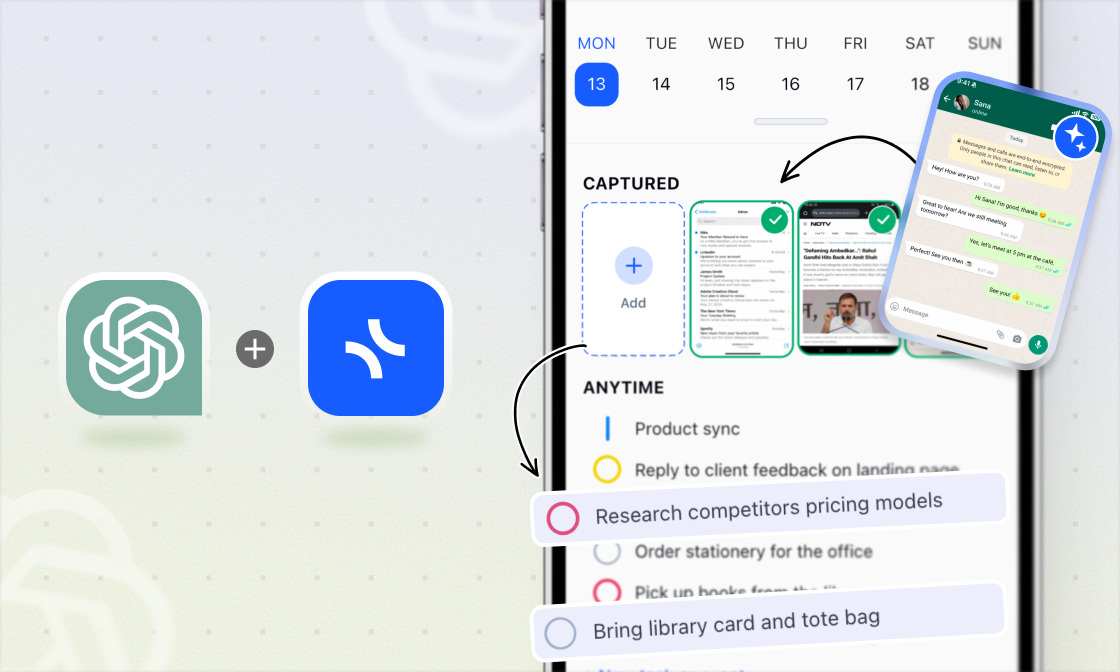
Snap a whiteboard after a meeting, a menu you want to come back to, a message thread you need to act on. xTiles reads what's in the image and turns it into tasks and notes, already placed in your plan on the right day.
Tap AI Capture at the top of your Daily Screen, drop in the photo, and that's it. No manual entry, no retyping.
Try it on iOS or AndroidAI Capture on Mobile — Snap it. Skip the retyping.
Any capture becomes a task, with deadlines and reminders already in place.
Snap a whiteboard after a meeting, a menu you want to come back to, a message thread you need to act on. xTiles reads what's in the image and turns it into tasks and notes, already placed in your plan on the right day.
Tap AI Capture at the top of your Daily Screen, drop in the photo, and that's it. No manual entry, no retyping.
Try it on iOS or AndroidIntroducing the Enterprise Plan
As more teams bring xTiles into their daily work, we kept hearing the same needs from larger organizations: tighter security, centralized control, and support that moves at their pace. The new Enterprise plan is built for exactly that.
What it includes:
- ✦SAML SSO — Manage employee access at scale through your existing identity provider. Onboard and offboard team members centrally, without chasing individual accounts.
- ✦Dedicated Account Manager — A single point of contact for your account, covering team onboarding, training, and priority support.
- ✦Premium Support — Priority help with faster response times, so your team isn't waiting on answers.
- ✦Organization Spaces — Dedicated, isolated workspaces for your organization, with clear separation between teams and full control over who sees what.
Enterprise pricing is tailored to your team's size and needs. See how it compares to our other plans.
Compare plans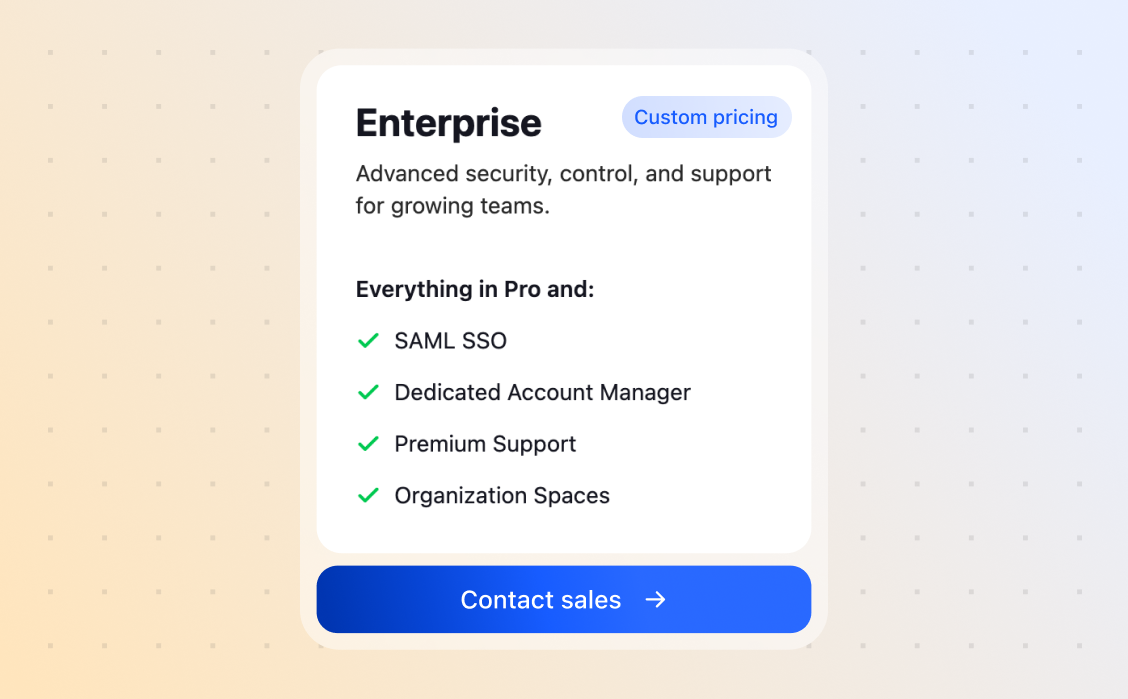
Introducing the Enterprise Plan
As more teams bring xTiles into their daily work, we kept hearing the same needs from larger organizations: tighter security, centralized control, and support that moves at their pace. The new Enterprise plan is built for exactly that.
What it includes:
- ✦SAML SSO — Manage employee access at scale through your existing identity provider. Onboard and offboard team members centrally, without chasing individual accounts.
- ✦Dedicated Account Manager — A single point of contact for your account, covering team onboarding, training, and priority support.
- ✦Premium Support — Priority help with faster response times, so your team isn't waiting on answers.
- ✦Organization Spaces — Dedicated, isolated workspaces for your organization, with clear separation between teams and full control over who sees what.
Enterprise pricing is tailored to your team's size and needs. See how it compares to our other plans.
Compare plansMobile — More Views, More Control
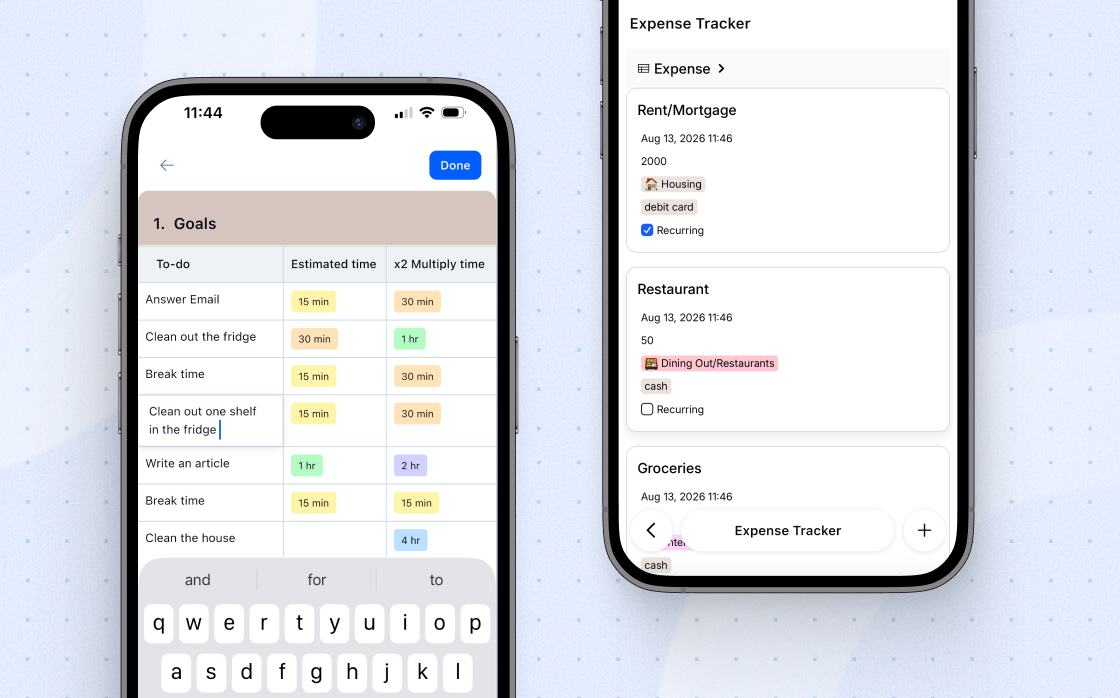
Collection Feed View for mobile
Google Calendar, right on your phone
Sub-projects, now navigable
URL column in Table Block
Mobile — More Views, More Control
Collection Feed View for mobile
Google Calendar, right on your phone
Sub-projects, now navigable
URL column in Table Block
Web Clipper — Clip to Any Day You Want
The Clipper already made saving to Today, Tomorrow, or Next Week fast and effortless. Now it goes further.
A new Other Date... option opens a full date picker, so you can clip anything to any day of your My Planner. Save a recipe for the Sunday you actually want to try it. Drop a link on the exact day you have time for it.
Clip anything, to any day of your My Planner, without exceptions.
Get the Web Clipper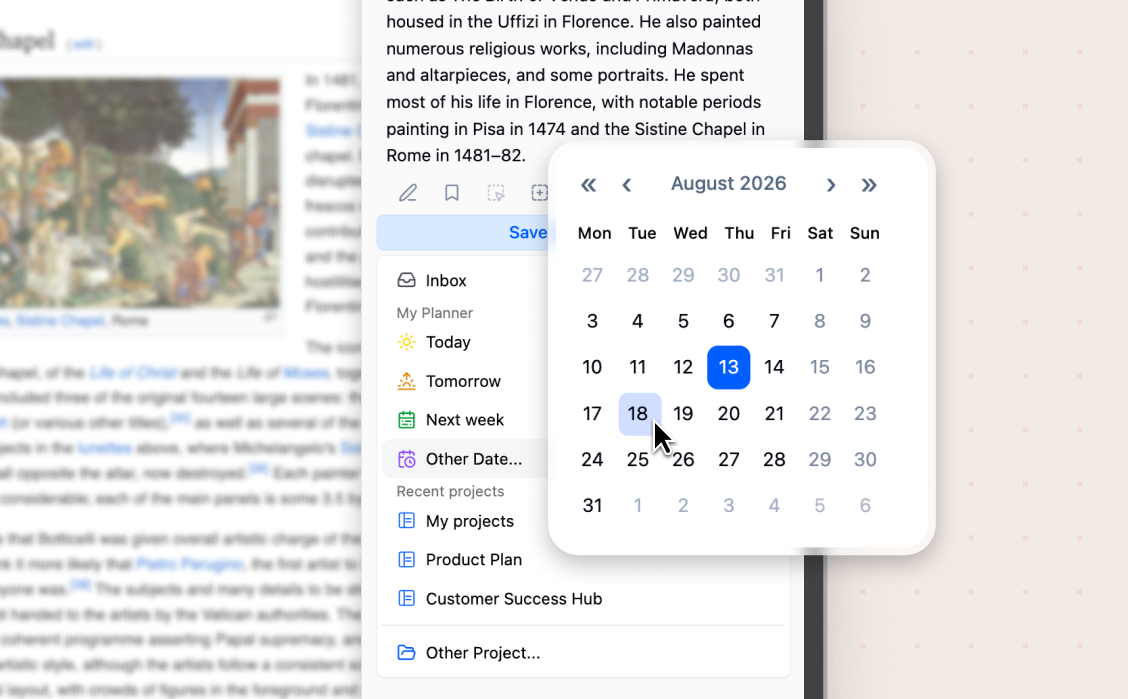
Web Clipper — Clip to Any Day You Want
The Clipper already made saving to Today, Tomorrow, or Next Week fast and effortless. Now it goes further.
A new Other Date... option opens a full date picker, so you can clip anything to any day of your My Planner. Save a recipe for the Sunday you actually want to try it. Drop a link on the exact day you have time for it.
Clip anything, to any day of your My Planner, without exceptions.
Get the Web ClipperSmall Improvements
Unpin header elements
- ✦Calendar, Task List, Pomodoro, Inbox, and other elements in the top bar can now be unpinned. Keep only what you actually use in view.
Android polish
- ✦Quick page-switch buttons added under the last tile
- ✦Fixed task priority color rendering and a Samsung keyboard issue in the tile editor
- ✦General bug fixes and performance improvements