A visual thinker who outgrew Walling
Kelly is an engineering consultant who spends his career on large infrastructure and mining projects, based on Canada's west coast and often working abroad. He describes himself as a visual, curious person who takes on a lot of projects at once — which is exactly why his first serious workspace was an app called Walling: very visual, good for capturing information, but eventually abandoned by its own developers.
xTiles was the natural next step — projects, pages, and tiles he could move around the same way, but with a lot more room to grow. He uses it for actual day-to-day planning as much as visual capture: trip itineraries as tables, client work organized by project, and the Web Clipper for turning saved pages into real summaries instead of another pile of dead bookmarks.
Most of his client work happens inside Microsoft 365 — that's simply what large engineering clients run on. xTiles fills a different role: the layer he actually plans in, browser tab open all day, not blocked by anything on the corporate side because it never needed to be installed there in the first place.
The core loop: voice notes, transcribed, then turned into a daily coach
Now on a sabbatical and deep into Anthropic's and Google's AI courses, Kelly built a workflow around a voice-recording app he uses constantly — for meetings, brain dumps, journaling, whatever comes to mind. It transcribes automatically and connects to Claude via its own MCP connector, the same pattern as the xTiles connector.
Every recording gets pulled into Claude and run through a skill he built himself, asking a consistent set of questions: what did I learn today, where are the opportunities to use AI, and — the one that surprised him most — what was my mood, and how productive was I really. The answer lands as a short summary tile in his Planner for that day, with each voice note showing up as its own entry.
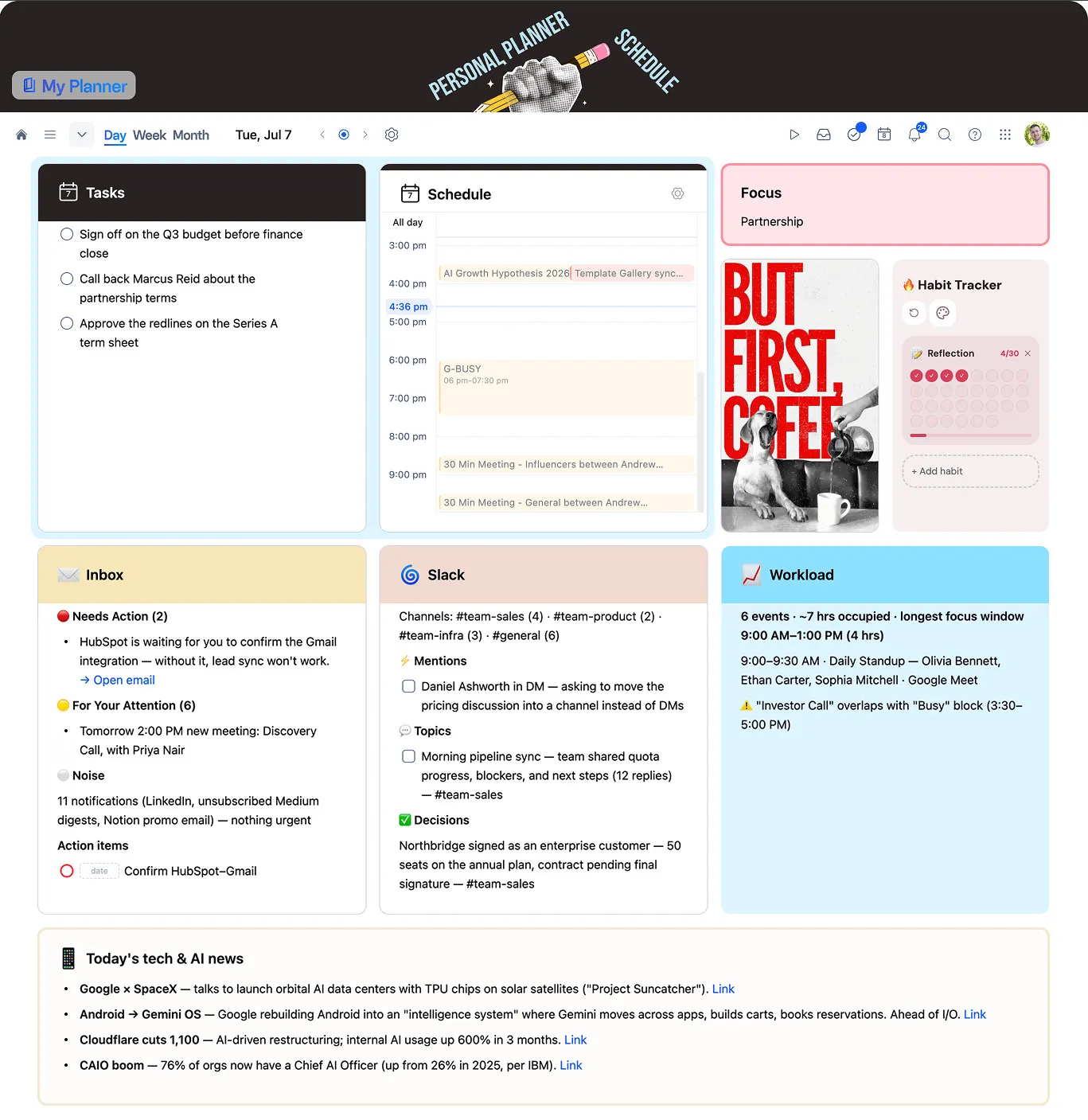
The mood read-out is the part he keeps coming back to: "It's reading back my day based on my recordings... Kelly's day was very positive until this happened." It is not therapy, but it is an oddly accurate mirror — the kind of reflection that is easy to skip when nothing is capturing it automatically.
Why he builds skills instead of retyping prompts
The detail Kelly kept returning to: turning a one-off prompt into a properly written Claude skill produces dramatically more consistent output than typing the same rough instructions each time. He writes the skill once — fully detailed, with the exact questions he wants asked and the tone he wants back — and lets Claude reuse it every day rather than reconstructing it from memory.
That same habit extends to markdown. Sending a Claude-built project plan into a new xTiles project, or pulling xTiles content back into Claude, works cleanly through markdown import and export — good enough that he uses the same pattern with Obsidian for parts of his workflow that live outside xTiles entirely.
A weekly digest that mines his own week for ideas
Beyond the daily loop, Kelly runs a weekly digest that pulls from every connection at once — Gmail, calendar, SharePoint, OneDrive, and xTiles — and asks Claude to identify action items and wins from the week, surface places he could be using AI more, and even suggest new business or digital-product ideas based on patterns in his own work.
The output isn't just read in a chat window and forgotten — it gets written back into his weekly xTiles planner as a tile, in the same place he already looks every day. That loop, insight generated once and delivered somewhere he'll actually see it again, is what made the habit stick.
What connecting Claude to xTiles has actually produced
Two concrete examples stood out. First, asking Claude to review three separate project plans stored in xTiles and give feedback — it pulled information across all three, tied pieces together, and returned suggestions in a way that felt, in his words, closer to "the brain doing this analysis" than a simple lookup.
Second, and the moment that fully sold him on Claude over other assistants: asking it to build a cash-flow spreadsheet with full formulas, pulling context from an xTiles project. "It coded everything and blew my mind. It was like in an hour it built what would probably take me weeks to do with all the formulas."
What's next: fewer connections, more automation
Kelly is candid that he is still mostly experimenting — connecting whatever he can connect and seeing what happens, including routing a YouTube playlist through a separate automation tool since Claude has no native YouTube connector yet. He is not a developer, but he is starting to explore Claude Code as a terminal-based way to watch multiple agents work at once, beyond the chat interface he uses daily.
One habit worth borrowing regardless of how advanced your setup is: scheduling the heaviest automations for very early morning hours, so usage resets by the time the workday starts and the outputs are simply waiting in the Planner. It is a small scheduling choice that changes very little about the workflow itself and a fair amount about how it feels to start the day.