The ADHD planning paradox
If you have ADHD, your planner probably has the opposite problem of an empty one. It is too full. New ideas land faster than old ones get finished, every task feels urgent, and a "Brain Dump" list quietly grows into a graveyard of someday-maybes.
Katrin, a founder and designer who runs adidah.design, knows the pattern well. Her xTiles planner held private tasks, several business projects, and a steady stream of inspiration — all in one place. The mixing was deliberate and she liked it. But over the weeks it drifted: a dozen tasks marked HIGH priority, roughly two dozen deadlines already in the past, and a self-rated organization score that had slipped to about 7 out of 10.
The classic ADHD failure mode is not laziness — it is task initiation, prioritization, and the guilt that piles up when red overdue dates stare back at you. Katrin wanted a second set of eyes that understood that, not just another app telling her to "be more disciplined."
Connecting Claude to xTiles over MCP
xTiles connects to Claude through the MCP integration, which lets Claude read your planner, projects, and to-do list directly — with your permission — and reason about them like a collaborator who can actually see your work.
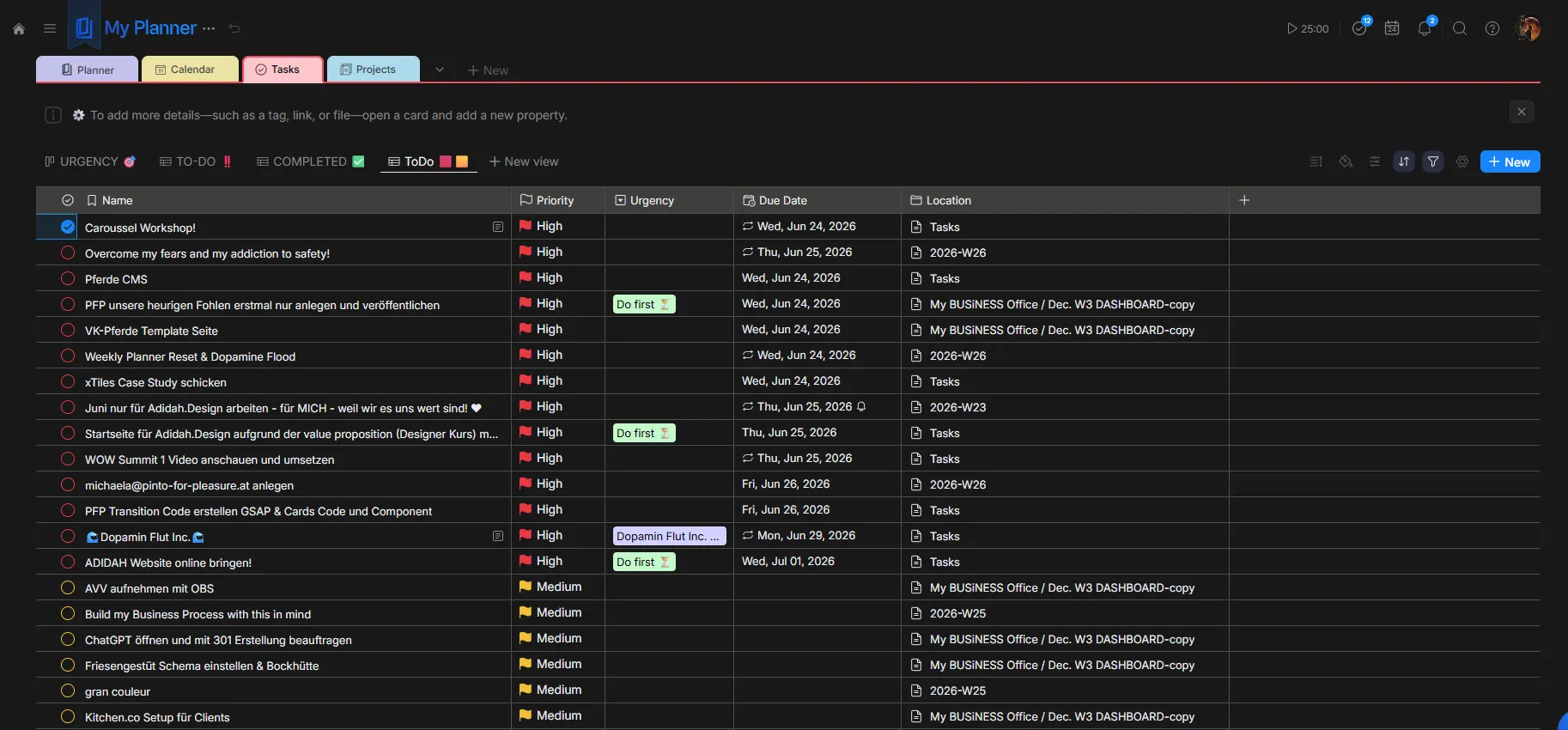
Katrin’s first session was simple: she asked Claude to help her tidy up her to-do list and planner. Because Claude could read the whole structure at once — across her personal space and several business projects — it spotted things she had stopped noticing.
- Duplicates everywhere — the same task entered two or three times across different projects.
- A stale Brain Dump — a section that had barely changed in weeks, a sign that ideas were being captured but never moved into action.
- A research-heavy, decision-light pattern — in Katrin’s words, "It concluded perfectly that I plan and research a lot, but my action and decision-making is low."
- Too many areas blended together — Claude suggested separating contexts more cleanly (advice she kept some of, and politely ignored the rest — she likes seeing everything in one Planner).
Read-only by design: AI as co-pilot, not autopilot
Here is the part that makes this approach work for people who are protective of their data: Katrin gave Claude read-only access. Claude could analyze her planner and create new tiles, but it could not edit or check off her existing tasks.
"I’m a bit hesitant to give an AI editing access to stuff I’ve collected for a long time and put real effort into," she explained. "It would be horrible if it went wrong and I didn’t notice." That is a reasonable boundary — and the workflow respects it.
The loop looks like this: Claude recommends → Katrin decides → Katrin executes. Claude does the pattern-spotting and the prioritization math; the human keeps the final click. When she asked Claude to mark a batch of duplicates as done, it couldn’t — by design — so she checked them off herself. A small bit of friction, in exchange for staying fully in control.
You can grant write access in xTiles when you are ready. Many users start read-only to build trust, then enable editing for low-risk actions (like rescheduling or tagging) while keeping deletes manual.
What changed after the first session
The cleanup was not a vague "felt better." It was measurable.
HIGH-priority tasks: 12 → 5. Katrin hit her own rule of one big and one small focus at a time.
Overdue deadlines: ~25 → 0. A single "Date Reset Day" — mass-rescheduling stale dates in about 15 minutes — cleared every red guilt-anchor.
Self-rated organization: 7/10 → 9/10, step by step, in one ADHD-friendly pass.
Just as important as the numbers: the process felt good. "Step by step we cleaned up my planner, and now it’s at a 9 out of 10," Katrin said. "Everything very ADHD-friendly — step by step, dopamine-producing."
Katrin's golden boundaries
Throughout the conversation, Claude kept referring back to what Katrin calls her "golden rules" — a short list of personal boundaries she set for herself, because she tends to say yes too often and then drowns in overwhelm. Keeping them visible in the planner gives both her and Claude a shared definition of "too much."
Max active projects: 1 BIG project and 1 small project at a time.
Max emails I happily reply to per day: 1 long and/or 2 short ones.
What I don’t do anymore, even for easy money: start building a website before payment and all content are in place.
The gut-check question: "Would I start this today if I weren’t already doing it, knowing what I know now?" (a hedge against the sunk-cost fallacy).
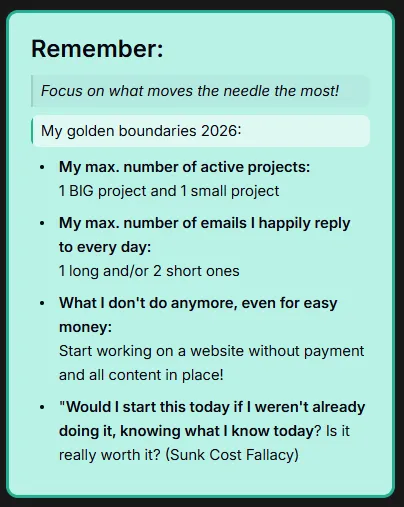
Rules like these turn an AI co-pilot from a generic productivity bot into something that actually fits your brain. When Claude can see the boundaries, its suggestions respect them.
The 15-minute weekly reset ("Dopamine Flood")
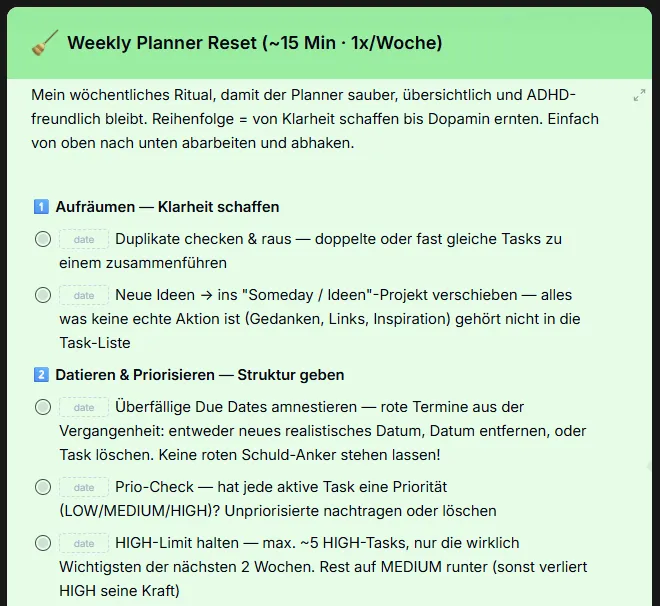
A one-time cleanup decays. So Katrin and Claude turned the cleanup into a recurring ritual — a single weekly task that lives in her planner as a checklist. The order is intentional: create clarity first, then earn the dopamine reward at the end. Work top to bottom, tick the boxes, done.
Tidy up — create clarity
Check for duplicates and merge them. Move pure ideas, links, and inspiration out of the task list and into a separate "Someday / Ideas" project — if it isn’t a real action, it doesn’t belong with your tasks.
Date & prioritize — give it structure
Amnesty every overdue date: give it a new realistic date, remove the date, or delete the task. Don’t leave red guilt-anchors. Then make sure each active task has a priority, and hold the line at roughly five HIGH tasks max — everything else drops to MEDIUM (or HIGH loses its meaning).
Refine — sharpen the overview
Shorten long task titles so each one is a glanceable action; push the details and links into the description. The list should be readable at a glance.
Reward — harvest the dopamine
Collect all the 2-minute quick wins and blast through them in one sitting. Many checkmarks in a row = momentum and a genuinely good mood. Then reset the checkboxes for next week.
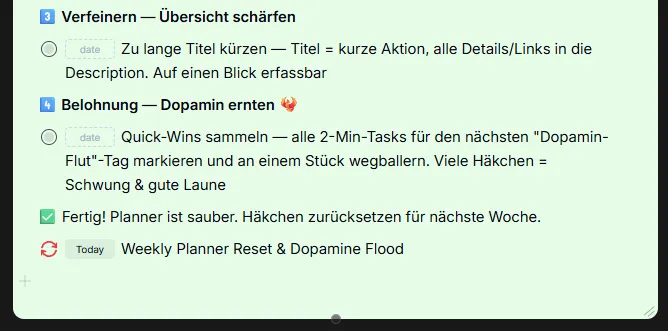
The reward step is not a gimmick. For an ADHD brain, a visible streak of completed micro-tasks is fuel. Ending the ritual on a burst of easy wins is what makes Katrin actually come back to it.
Why this works so well for ADHD
It externalizes the executive function that ADHD makes expensive. Deciding what matters, spotting duplicates, and re-dating two dozen overdue items is exactly the kind of slow, draining work that triggers avoidance. Handing the analysis to Claude lowers the activation energy to almost nothing.
It keeps everything in one view. Katrin deliberately keeps personal and business tasks together in My Planner. The planning paradox — having to check five places to know what to do — disappears when one surface holds it all, and Claude can read that same surface.
It is judgment-free and boundary-aware. Because the golden rules and the read-only setup are explicit, the help feels like a calm co-pilot rather than a nagging system. The result is less overwhelm, which for many people with ADHD is the whole game.