When your brain is everyone else's brain too
Angela is a therapist specializing in OCD and anxiety disorders. She also has five children, serves as president of the parent teacher council at her kids' school, and has ADHD herself — the kind that makes holding a hundred things in your head simultaneously not a choice but a constant condition.
She had tried paper planners for years. They made sense in theory — she generally prefers writing things by hand. The problem was a familiar one: "I'm out and I think, oh, I have to remember this thing, and then I would put it in like a notes app on my phone and then it doesn't translate." The note existed somewhere. Just not in the place she would look when she needed it.
She had also tried a dedicated tablet running ChatGPT as a voice-accessible AI assistant — a way to brain-dump spoken thoughts instead of typing everything out. It worked for capture. But when she asked ChatGPT to move something from a conversation into her to-do list, it could not. The AI and the task list lived in different worlds with no bridge between them.
Most productivity tools solve the wrong half of the problem. They give you a place to put information. But for ADHD users, the harder challenge is getting information back out — surfaced at the right moment, in the right context, without requiring you to remember it existed.
When a capture system does not actively return information to you, it effectively disappears. Not because you forgot the tool, but because the tool never gave you a reason to come back.
From ChatGPT to Claude — and what she was still looking for
Angela had recently switched from ChatGPT to Claude — better security ratings and, in her experience, a writing style that captured her voice more naturally when she needed to pre-populate email templates. "It sounds more like me rather than a little bit more generic."
But the core problem remained unsolved. What she wanted was an AI assistant she could speak or type to freely — a brain dump interface — and have that input automatically find its way into a structured schedule. A thought, a task, a time. Connected.
She was two to three weeks into using xTiles when we spoke, having found it through its ADHD-friendly positioning. She had used it more consistently than any other tool she had tried — but was not yet aware that xTiles had a built-in planner, let alone that it could connect to Claude directly.
Discovering My Planner — and then the morning digest
When the xTiles team showed Angela the My Planner feature, her first response was: "I didn't know there was a planner." That turned out to be the most useful starting point. Everything after came as a surprise.
My Planner is xTiles' built-in planning hub — a daily view that automatically surfaces tasks from every project in your workspace, alongside any calendar events you have connected. There is no separate setup or filter to configure. Tasks appear on their due date. On the weekly view, all seven days lay out side by side, and you can drag tasks from overloaded days to lighter ones.
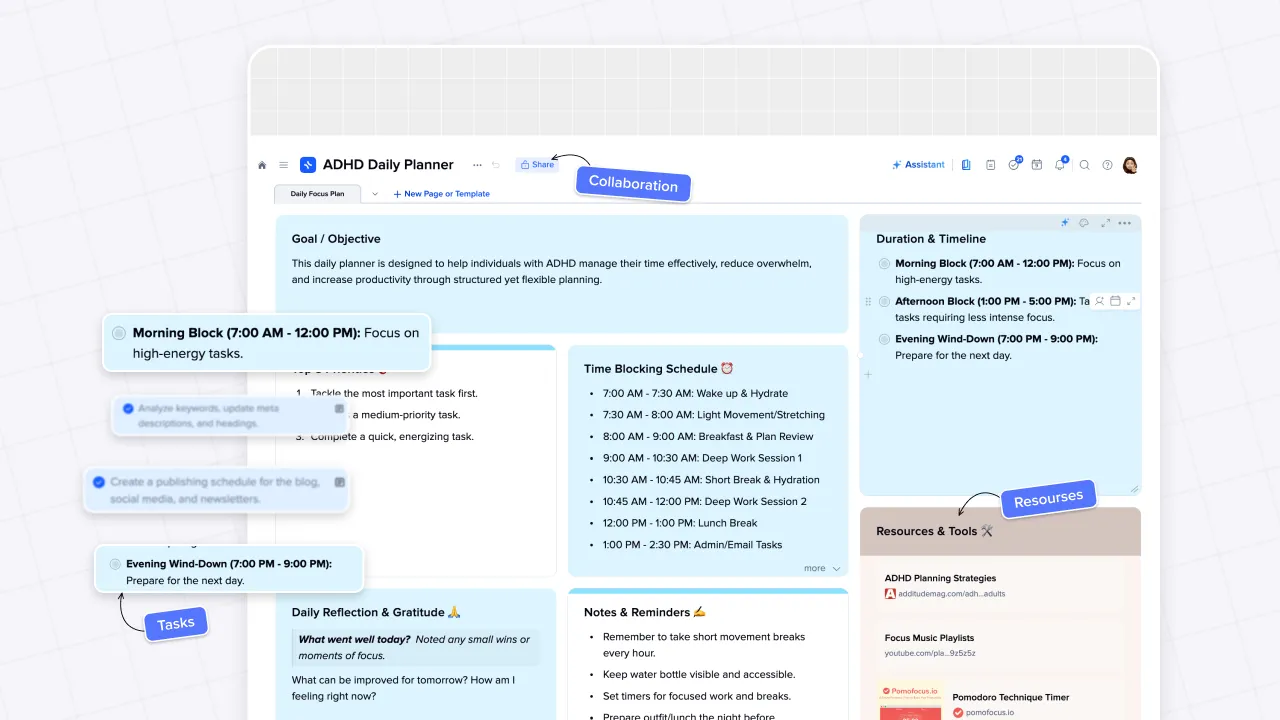
But the feature that landed hardest was the Claude integration — specifically, the morning digest workflow. The setup connects Claude to your external tools: Gmail, Google Calendar, Slack, meeting notes. Every morning, Claude reviews everything across those sources and writes a summary directly into your xTiles daily page. Emails that need a response. Calendar events for the day. Action items from yesterday's meetings. All surfaced, all in one place.
This was the moment Angela described xTiles as her Jarvis — Tony Stark's AI system from the Marvel films, the one that monitors everything, anticipates what matters, and surfaces it without being asked. "It's like I have Jarvis."
A million open tabs — and what to do with them
Angela also mentioned something that will resonate with most therapists and anyone in a research-heavy profession: she keeps a large number of browser tabs open at all times, because closing a tab feels like losing access to something important. Mental health podcasts. Research articles. Resources she half-remembered from two weeks ago.
The xTiles Web Clipper extension addresses this directly. Any page — article, YouTube video, podcast episode — can be saved to xTiles in seconds, with an optional AI-generated summary attached. The summary means that when you find the link again later, you do not need to re-open the page to remember why you saved it.
Saved links land in the Captured tile in your daily Planner view and accumulate in the Library — a dedicated section inside My Planner organized by type. From there, Angela could add custom properties to categorize links by topic: OCD resources in one view, general anxiety in another, personal reading in a third. A kanban board or gallery view makes the collection browsable without being overwhelming.
The mental shift is small but significant: instead of a tab that must stay open to remain accessible, the link lives in a system that can be closed and returned to later. For ADHD users, that reliability changes the relationship with captured information entirely.
A system that works with ADHD, not against it
Angela's situation is not unusual among high-functioning adults with ADHD: she manages complex, emotionally demanding work, holds significant responsibilities, and had developed sophisticated workarounds — paper planners, dedicated AI tablets, extensive tab collections — because no single system had worked end to end.
What changed with xTiles was not the number of features available. It was the connection between capture and retrieval. A thought captured in a note can become a task with a due date, which surfaces automatically in My Planner on the right day. A link saved with the Web Clipper appears in the Library and in the daily Captured tile. A morning brief generated by Claude pulls together email, calendar, and meeting information that would otherwise require five separate apps to review.
The result is a system that does more of the remembering — which, for an ADHD brain managing five children, a therapy practice, and a school council, is not a convenience. It is the difference between a tool that gets used and a tool that gets forgotten.