How to Make a Vision Board in Short
To make a vision board, pick three to five areas of your life, choose one goal for each, find an image and a short phrase that stand for that goal, and arrange them on one board you'll see every day. Add the first step toward each goal under its image, and update the board when a goal is reached or changes.
You can do this with scissors and magazines, or digitally in a few minutes with the free vision board template: it already has a tile for each life area, so you only swap in your own images and words.
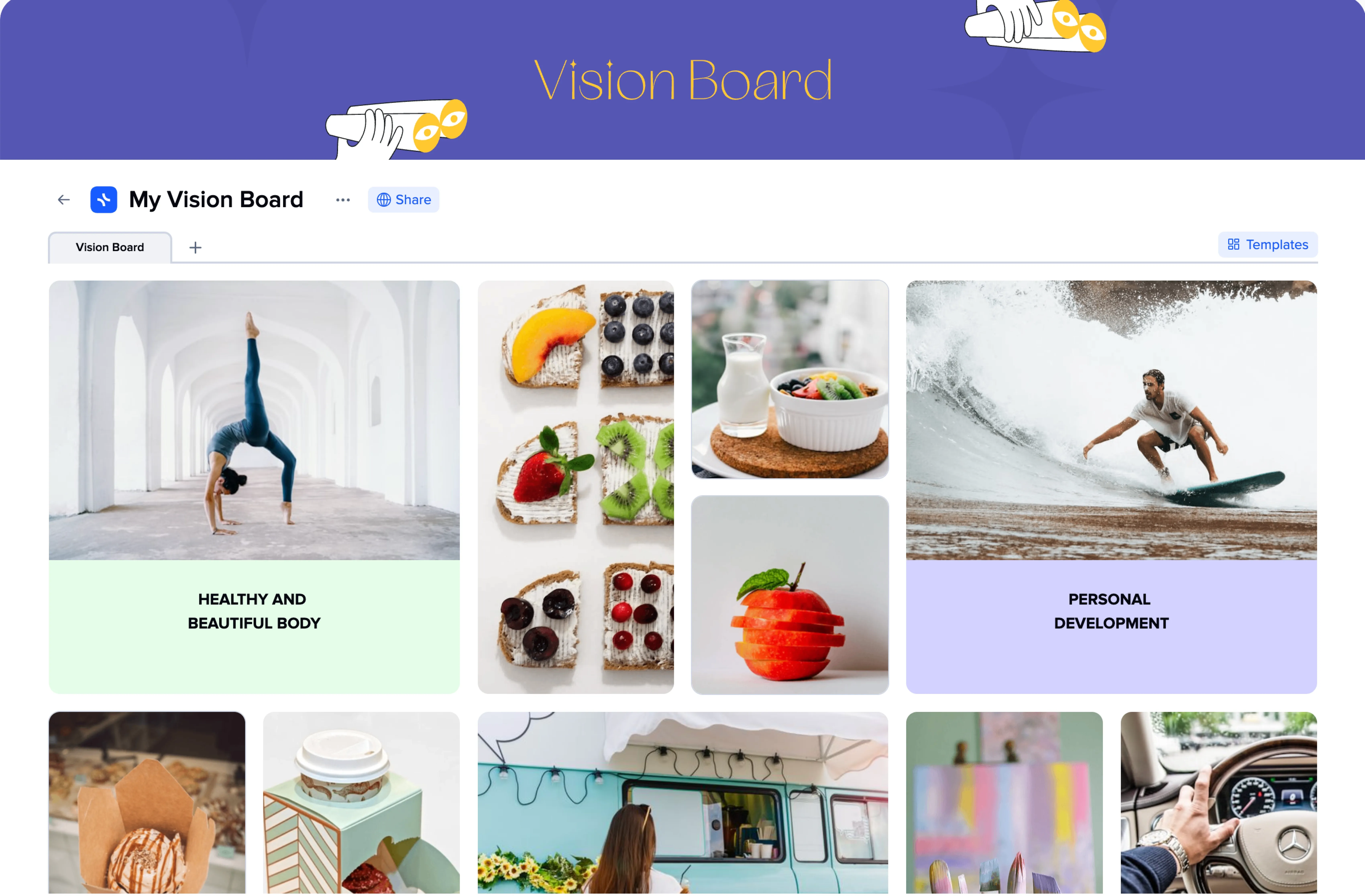
How to Make a Vision Board in 7 Steps
These steps work for a paper board too, but the examples use a digital board in xTiles, where you can move, swap and update everything later.
Pick three to five life areas
Career, health, relationships, money, travel, personal growth: choose the ones you actually want to change this year. Fewer areas make a board you can read at a glance.
Write one goal for each area
Make it concrete: "run a half marathon in May" rather than "be healthier". A specific goal is easier to find an image for and easier to act on.
Open the vision board template
Start from the vision board template or an empty page, and give each life area its own tile so the board has structure from the start.
Find an image for every goal
Search the built-in Unsplash library from the board, add your own photos, or save images from other sites with the Web Clipper. Pick pictures that show the result you want, not just the topic.
Add words: an affirmation or a quote
Put one short phrase on each tile, written in the present tense as if the goal is already true: "I run three times a week." Keep it to one line so the board stays readable.
Add the first step under each image
Turn every goal into one action you can take this week, written as a checkbox under its image. This is what makes the board a plan rather than a poster.
Keep it in sight and update it
Pin the board in a browser tab you open every morning, look at it for a minute, and tick off steps as you go. When a goal is reached, replace it with the next one.
Give each life area its own tile color, such as green for health and violet for personal growth, so you can tell the areas apart before reading a word.
Digital vs Physical Vision Board
Both work; choose by how you'll use the board.
- A physical board is a poster or corkboard with magazine cutouts. It suits people who enjoy making things by hand and want the board on a wall they pass every day. Changing it means cutting and gluing again.
- A digital vision board lives on your laptop or phone. You can find images in seconds, move tiles around, add checkboxes and links, and change a goal without starting over. It suits anyone whose goals change during the year.
Many people keep both: a small paper board on the desk and a digital one with the details and next steps.
What to Put on a Vision Board
- Pictures of the result: the city you'll live in, the finish line of a race, the home office you're building.
- Personal photos: you at your happiest or proudest moment, as a reminder of what you're capable of.
- People who inspire you: mentors or role models who already live the way you want to.
- Words: affirmations in the present tense, a favorite quote, or a single word for the year.
- Simple diagrams: a wheel of life to rate each area from 1 to 10, or a goal ladder from where you are now to where you want to be.
- Next steps: one checkbox per goal, so the board always shows what to do next.
- Something that makes you smile: a photo of your dog or a song in a Spotify widget. It's your board.
Vision Board Ideas by Life Area
Stuck on what to add? Take one idea per area and replace it with your own version. For more than 50 ideas, board formats and free templates, see vision board ideas for 2027.
- Health and wellness: a race you want to finish, a meal you want to cook every week, eight hours of sleep, a yoga or gym routine.
- Career: the job title you're aiming for, a company logo, a project you want to lead, a certificate on the wall.
- Money: a debt-free date, a savings number, the home you're saving for.
- Relationships: weekly dinners with family, a trip with friends, a photo that shows the partnership you want.
- Travel and experiences: three places on your list, a skydive, a concert you'd fly to see.
- Personal growth: a language, an instrument, the books you'll read this year.
- Inner peace: a morning routine, a meditation corner, a phrase you want to remember on hard days.
Vision Board Examples
Three ways the same steps play out on very different boards:
A career change board
Four tiles: the new role (a photo of a design studio), the skill to learn (a UX course with "finish module 1 this week" under it), the portfolio (three project ideas), and the network (a photo from a meetup with "message two designers by Friday").
A year-ahead board
One tile per life area for the coming year: a half marathon for health, a savings number for money, Lisbon for travel and a stack of 12 books for growth. Each tile has one affirmation and one quarterly milestone.
A student board
The university you're applying to, the GPA you're aiming for, a summer internship and a photo of friends on a hiking trip, so the board covers life outside classes too. For the grade goals, see these SMART goals examples for students.
Tips for a Vision Board That Works
- Keep it simple. A crowded board is hard to read; three to five areas with one goal each is enough.
- Be specific. A vague image leads to vague action. Choose pictures that show exactly what you want.
- Use positive, present-tense words. "I save $300 a month" works better than "stop wasting money".
- Pair it with action. A vision board keeps a goal in sight; the next step under each image is what moves it.
- Look at it daily, update it monthly. Review it for a minute each morning and refresh it when goals change.
- Share it if it helps. Send the board to a friend or partner who will ask how it's going.
Conclusion
A vision board works when it is small, specific and in front of you every day: a few life areas, one goal and image for each, a line of words and a first step. Start with one area tonight, and add the rest as the picture of the year gets clearer.