The problem: volunteers need their own space, not your whole workspace
A small organization we spoke with runs on five staff and about ten external supervisors who work with people on a volunteer basis. The staff already kept profiles, notes and photos in one shared xTiles space. The next step was harder: give every supervisor a place to keep confidential session notes, see upcoming meetings and get reminders about what to do between sessions.
Three constraints shaped the setup:
- Confidential. A supervisor should see their own notes, not other supervisors' notes or the team's internal pages.
- Light. Supervisors volunteer their time. Asking them to learn a heavy database tool would cost the goodwill the program runs on.
- Easy to repeat. Ten supervisors today means ten setups, and more when the program grows.
The team had looked at Airtable, but what it needed was less a shared database and more a private notebook per person that the staff could still oversee.
Three ways to organize volunteer supervisors
On the call we compared three structures. Each works; they differ in how much order you get for your team and how easy it is for a supervisor to find their space.
- One space, one project per supervisor. Everything sits in the team space. Simple, and all tasks are in one place, but with ten or more supervisors the list of projects gets long and access has to be checked project by project.
- A second space for supervisors. Internal work stays in the team space, supervisor projects live in their own space. Tidier for staff, one more place to switch between.
- A space per supervisor. The easiest for each supervisor to find, but ten spaces quickly becomes hard to manage for the team.
For a team this size there is a fourth, lighter option that keeps the internal project as the single hub. That is the one we recommended.
The recommended setup: one sub-project per supervisor
- Add a "Supervisors" tile to your internal project. Only your team has access to this project. Put one line per supervisor in the tile, grouped by city or program if that helps.
- Expand each line into a sub-project. Hover over the line, click the expand arrows and choose Expand to sub-project. Each supervisor now has a full project underneath, with its own pages, while on your side it is still one line in one tile. See how spaces, projects and sub-projects fit together.
- Fill it from a template. Give every sub-project the same structure: a page for session notes, a page for between-session actions and a page with the supervisor's guidelines. The templates below are a good start.
- Share that sub-project, and only that one. Invite the supervisor to their sub-project by email. External collaborators invited into a project don't get access to the rest of the workspace, so the supervisor sees their own space and nothing of your internal project.
- Repeat for the next supervisor. Same structure, new person, new invite.
For the supervisor the start is short: they open the invite, create an xTiles account with Google or Apple ID and land in their project. It is the same pattern agencies use for client portals.
Supervision notes templates to start from
Instead of designing each supervisor's space from scratch, start from templates in the xTiles gallery and adapt the wording to your program.
1. Meeting Notes: one supervision session on one page
Agenda, date, attendees, an action plan with checkboxes, what was agreed and a notes area. Rename the tiles to fit a session, such as goals, observations and next steps. Open the Meeting Notes template.
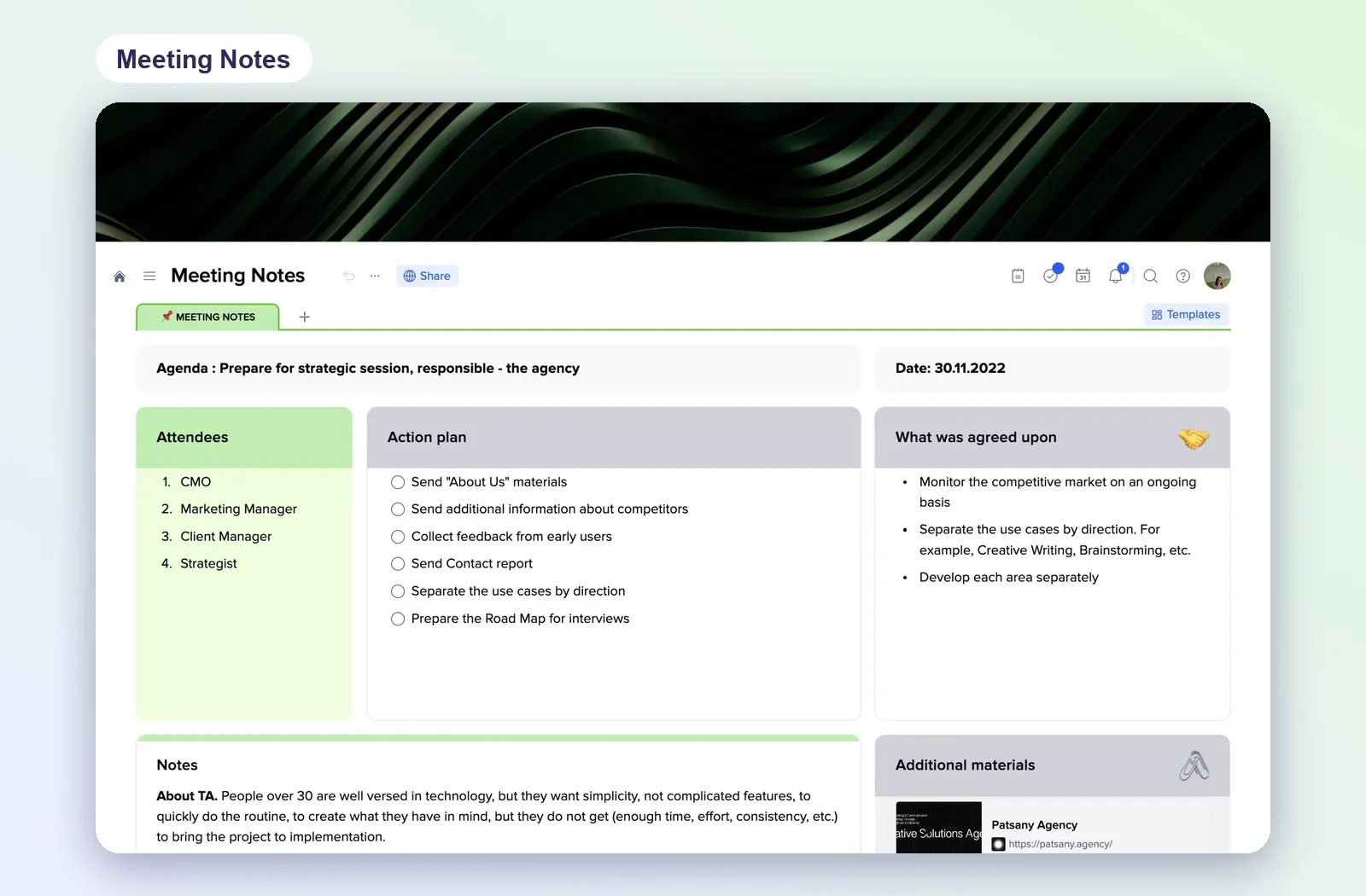
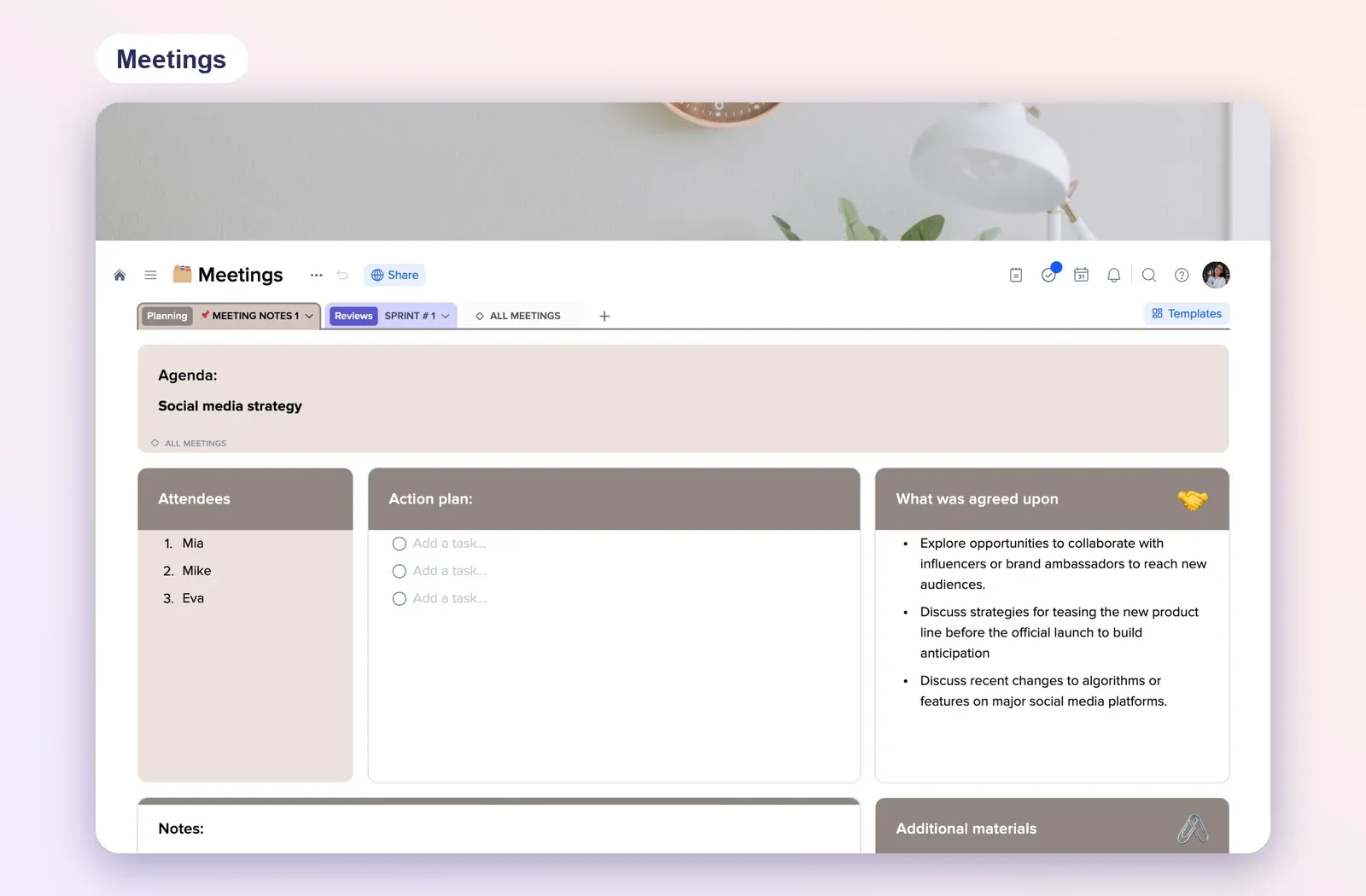
2. Meetings: a series of sessions in tabs
One tab per meeting plus an overview of all meetings. Good when a supervisor works with the same person over many sessions and needs the history in order. Open the Meetings template.
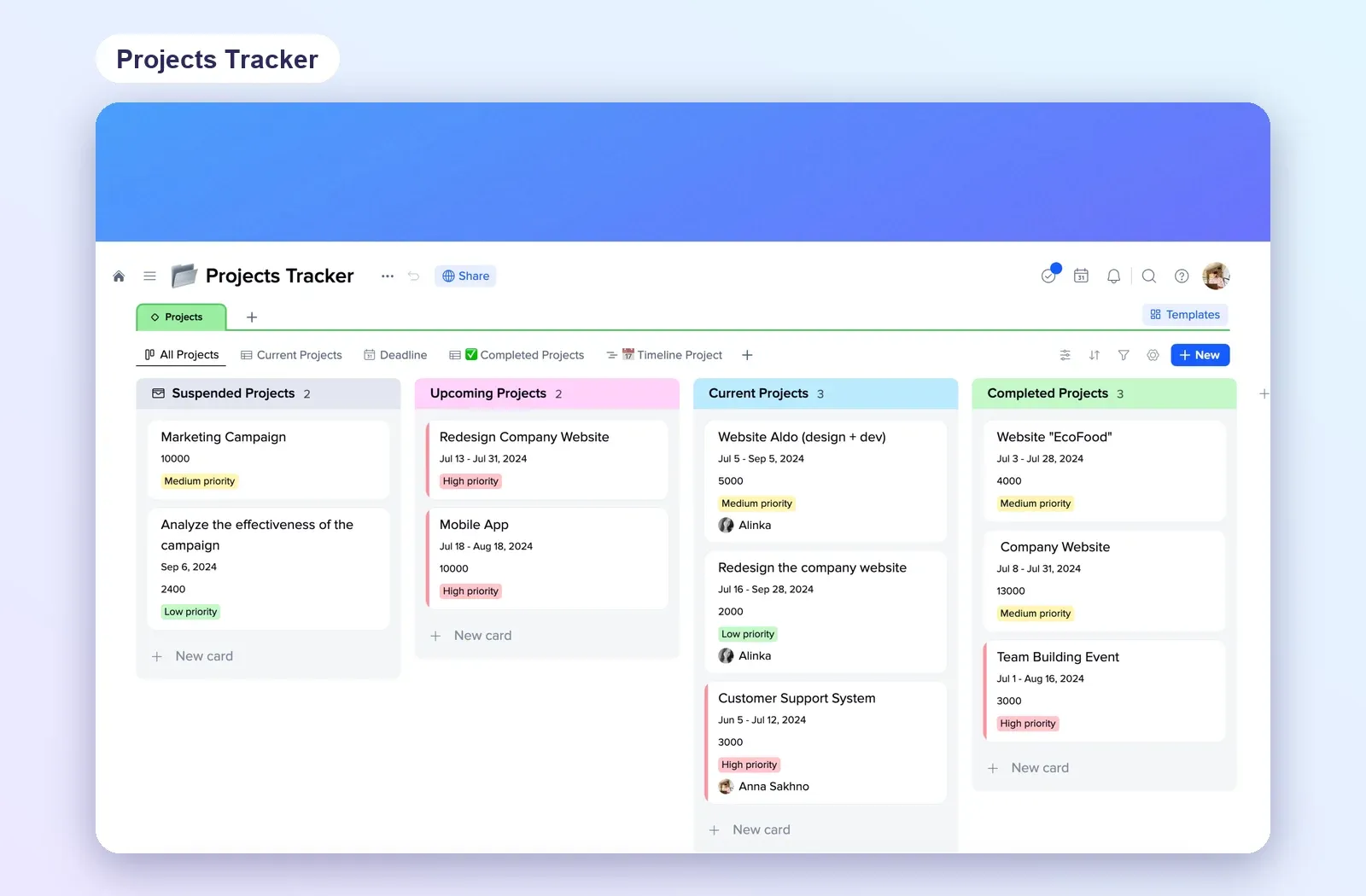
3. Projects Tracker: the staff overview
A board with columns by status, cards with dates, priority and owner. Your team can use it on the internal side for volunteer tracking: one card per supervisor or per case, moved from upcoming to current to completed. Open the Projects Tracker.
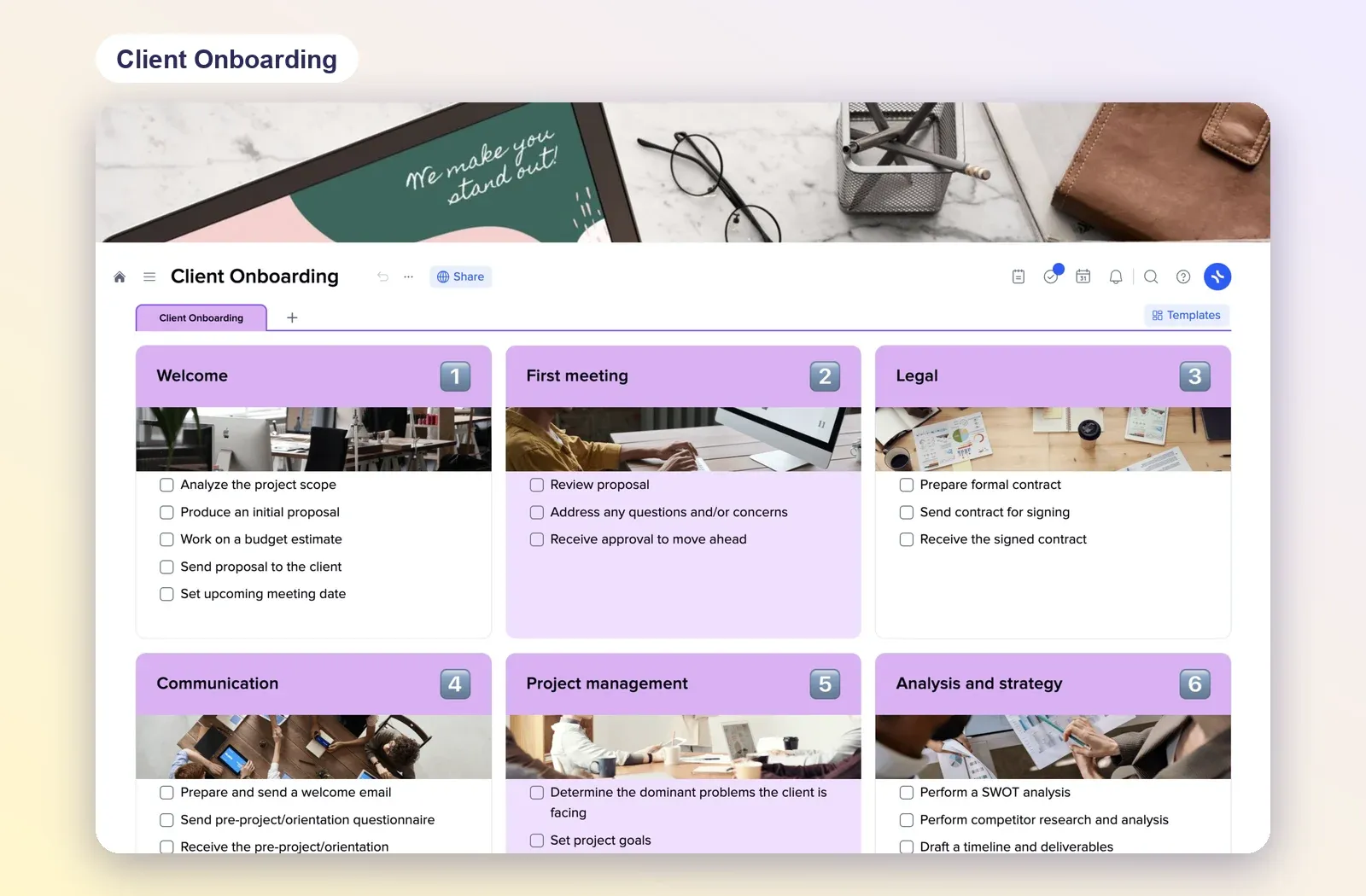
4. Client Onboarding: a checklist for new supervisors
Numbered steps with checklists, from welcome to first meeting. Swap the client steps for your own: guidelines read, first session booked, first notes written. Open the Client Onboarding template.
Reminders between sessions
Supervisors asked for reminders about what to do before the next meeting. Put each follow-up in their sub-project as a task with a date and assign it to the supervisor. For anything that repeats, such as a monthly check-in, make the task recurring and add a reminder a few days before.
The supervisor sees the task in their project, and your team keeps the overview on the internal side without opening each supervisor's notes.
Keep it light for volunteers
- Send the link with the invite. A supervisor who closes the app can always come back through the same link.
- One page to start. Open the sub-project on the session notes page, not on a table of contents.
- Same structure for everyone. When every supervisor's space looks the same, your team can help any of them in a minute.
- Let AI fill the setup. If your team connects xTiles to Claude or ChatGPT, describe the structure once and let it create the pages for each new supervisor.